

Fake GPS
Dive into the World of Virtual Location with Fake GPS APK
Fake GPS APK, developed by ByteRev, is a standout mobile tool available on Google Play that allows Android users to set their GPS to any desired location. Whether you're looking for fun, gaming, or testing purposes, Fake GPS empowers your device, giving you the freedom to teleport virtually anywhere without leaving your home. This innovative application is perfect for exploring distant locales or tricking applications into believing you're elsewhere.
How to Use Fake GPS APK
To harness the capabilities of Fake GPS, follow these simple steps:
- Download the Fake GPS Location Spoofer app from the Google Play Store. This ensures you're using a trusted source for your apps.
- Enable Developer Options on your phone (usually found in the system settings). This is necessary for the app to function correctly.
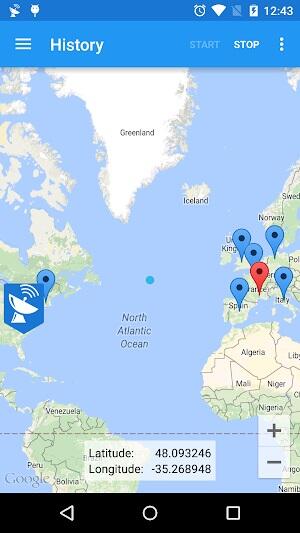
- Select “Fake GPS” as the Mock Location App in the Developer Options. This setting is crucial for the app to override your actual GPS location.
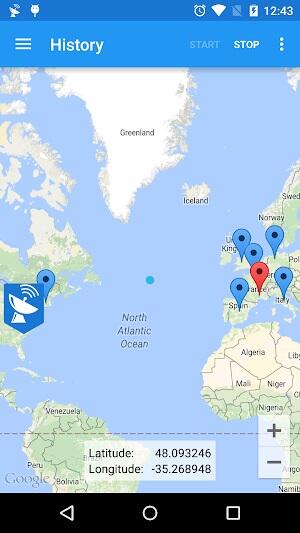
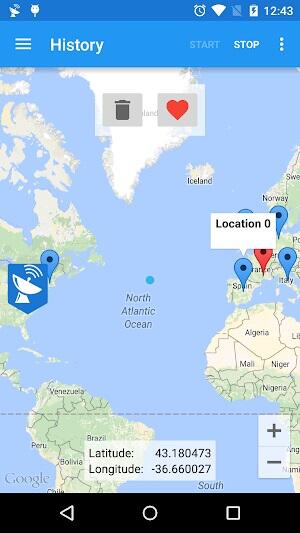
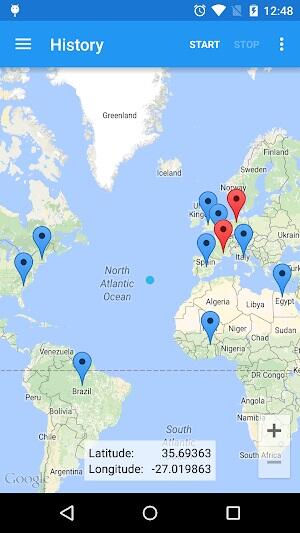
- Now you can set your desired fake location using the app. Choose any spot on the map, and your device will believe you're there!
Features of Fake GPS APK
Fake GPS stands out with a comprehensive set of features designed to enhance your digital experience. Here are the main capabilities that make it a must-have on your Android device:
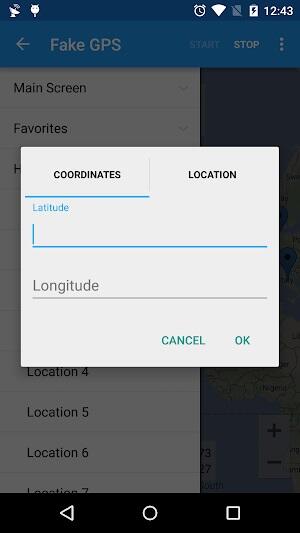
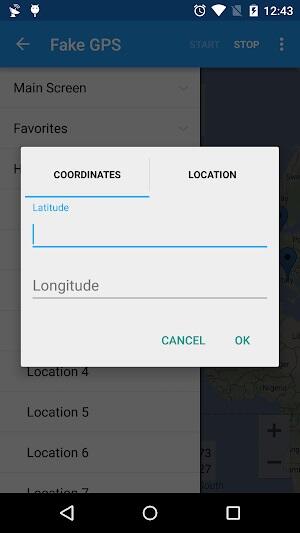
- Location Spoofing: At the core of Fake GPS is the ability to manipulate your phone's GPS coordinates. Whether for privacy, fun, or app testing, location spoofing allows you to appear anywhere in the world, anytime. This feature supports both entering specific coordinates for precise positioning or selecting a point on the map for general area spoofing.

- Joystick Mode: Enhance your gaming or virtual exploration with Joystick Mode, a premium feature that offers on-screen joystick controls. This mode is perfect for navigating through virtual spaces in location-based games like Pokémon Go, allowing for smooth and intuitive movement without needing to physically relocate.
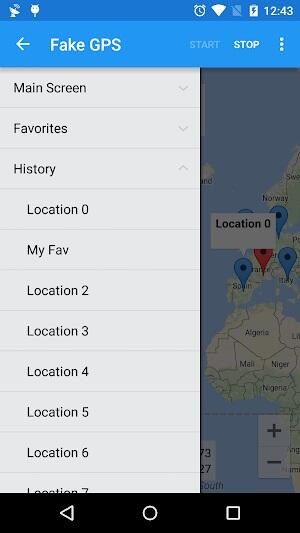
- Favorite Locations: With Fake GPS, you can easily save and manage a list of your favorite locations. This feature is incredibly useful for users who frequently switch among several spots, be it for testing apps or tricking location-based services. Accessing your top places is quick and straightforward, saving you time and enhancing your app usage efficiency.
- Integration with Other Apps: Fake GPS seamlessly integrates with various other apps on your device, allowing for a unified experience. Whether you're using social media, fitness trackers, or games, you can set your location to anywhere you choose, offering endless possibilities for creativity and functionality.
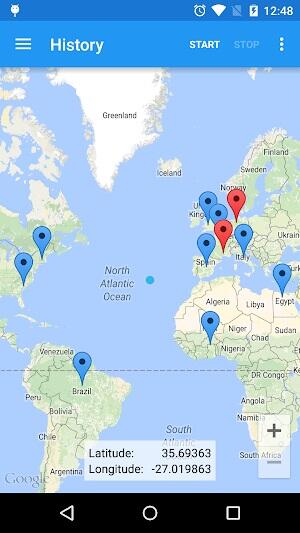
- Custom Routes: For users looking to simulate movement, Fake GPS offers the ability to create custom travel routes. This feature is excellent for developers testing navigation apps or gamers who need to move between multiple points efficiently.
These features collectively make Fake GPS a powerful tool in your suite of Android apps, providing both functionality and fun with just a few taps.
Best Tips for Fake GPS APK
Maximize your experience with Fake GPS by following these expert tips. These recommendations ensure you get the most out of this versatile app while maintaining functionality and compliance:
- Avoid Overuse: While it's tempting to constantly switch your location information using Fake GPS, moderation is key. Excessive use can lead to temporary or permanent restrictions, especially in location-based games and services. Use the spoofing features judiciously to enhance your app experience without facing penalties.
- Test First: Before relying on Fake GPS for an important task, whether it's tricking a specific app or playing a game, make sure to test first. Experiment with different settings and locations to understand how the app interacts with other apps on your device. This step ensures everything works smoothly when you need it most.
- Stay Legal: Always be mindful of the legal aspects of using location spoofing technology. Stay legal by respecting privacy laws and terms of service for the apps you're manipulating with Fake GPS. Understanding and adhering to these guidelines can prevent legal issues and account problems.
- Learn Function: Take the time to learn all the functionalities of Fake GPS. Familiarize yourself with its various features and settings. Knowing how to properly set and reset your location, use custom routes, and manage your favorite spots can significantly enhance your overall experience.
- Backup Location Settings: It's wise to keep a record of your original location information before using location spoofing. This precaution helps you restore your true location settings in case of any disruptions or if you wish to return to your actual position after using the app.
These tips will help you use Fake GPS effectively, ensuring a safe and enjoyable experience with this powerful tool.
Fake GPS APK Alternatives
If you're exploring other options beyond Fake GPS, here are three robust alternatives that offer unique features and capabilities:
- GPS Emulator: GPS Emulator stands out among apps for its straightforward functionality and user-friendly interface. It allows users to easily change their GPS location to anywhere in the world. The app is perfect for users who need a simple, no-frills solution for location spoofing, making it ideal for quick tests or demonstrations.
- Location Guard: For those concerned with privacy, Location Guard offers an innovative solution. This app provides random location data to protect your real coordinates, making it harder for third parties to track your movements. Location Guard is especially beneficial for users who want extra security while using location-dependent apps without compromising their privacy.
- GPS JoyStick: Tailored for gamers and tech enthusiasts, GPS JoyStick allows detailed control over your virtual location through an on-screen joystick. This feature-rich app is perfect for engaging actively with location-based games, providing a dynamic and immersive experience. Its customizable settings and the ability to create specific routes make GPS JoyStick a top choice for serious gamers.
Each of these alternatives offers distinct advantages and features that cater to different needs, providing viable options for those seeking to extend their capabilities beyond Fake GPS.
Conclusion
In conclusion, whether you're a gamer, developer, or just a curious explorer, Fake GPS offers an exciting way to manipulate your geographical location virtually. With its user-friendly interface and robust features, it stands out as a leading tool in the realm of location spoofing. To get started on your journey of virtual exploration and fun, download Fake GPS MOD APK today and discover how you can bend the digital world to your will, all from the comfort of your Android device. Experience the freedom of movement like never before!
-
Anker

-
VPN Master Lite - VPN Master

-
MyRemocon (IR Remote Control)

-
VPN South Sudan - Get SSD IP

-
Nepal VPN - Private Proxy

-
فیلتر شکن جدید و قوی-Shark VPN

-
CCXP24

-
Ting Sensor

-
Birthday Video & Status Maker

-
Reduce & compress video size

-
AI Video Enhancer - Utool

-
Wedding Dress Photo Editor

-
BB VPN

-
Mayi VPN - Fast & Secure VPN

-
 Tightfisted 7 Little Words Answer - Try Hard Guides
We have identified the 10-letter solution for the Tightfisted crossword clue, which appeared in the 7 Little Words puzzle dated June 12, 2026. This answer will assist you in completing your current game.Tightfisted Answer for 7 Little Words----------
Sep 22,2026 -
 Cornhole Hero: Backyard Game Thrills
- Cornhole Hero reinvents classic backyard gameplay- Play traditional cornhole alongside fresh variations- Features charming retro-style visuals and arcade soundsAs summer arrives worldwide, many are finally experiencing warmer weather. This seasonal
Sep 20,2026 - ◇ Wuthering Waves: Shorekeeper Builds & Team Guide Sep 19,2026
- ◇ Vampire Crawlers releases new gameplay for the upcoming Survivors spinoff Sep 16,2026
- ◇ Divest of trees of desert, somehow Crossword Clue - Try Hard Guides Sep 15,2026
- ◇ New York's case that Steam lootboxes are \"gambling\" is a free speech violation that \"will have an impermissible chilling effect on protected videogame design\", argue Valve Sep 14,2026
- ◇ Achieve one's aim Crossword Clue - Try Hard Guides Sep 13,2026
- ◇ Mecha BREAK Preorder and DLC Sep 12,2026
- ◇ The opening mission of 007 First Light leaked online, so IO have fought fire with fire by offering up the game's first 13 minutes Sep 11,2026
- ◇ Firaxis Hints at Nintendo Switch 2 Joy-Con Mouse Feature for Civilization 7 Sep 09,2026
- ◇ Wayfair's Memorial Day Sale: Huge Discounts on Bookshelves for Your Media Collection Sep 09,2026
- ◇ Honkai: Star Rail announces surprisingly early release date for Back to Earth in Evernight Sep 08,2026


![Zenless Zone Zero [ZZZ] Codes (December 2024) – 1.4 Livestream Codes](https://imgs.96xs.com/uploads/54/1735628542677396feeb34f.jpg)
- 1 Stellar Blade PC Release Date Confirmed For 2025 Jan 05,2025
- 2 WWE 2K24 Update 1.11 Released Nov 10,2024
- 3 New LEGO Sets for March 2025: Bluey, Harry Potter, and More Mar 06,2025
- 4 Gothic 1 Remake Demo: Frame-by-Frame Comparison with Original May 01,2025
- 5 PUBG Mobile Redeem Codes for January 2025 Live Now Feb 13,2025
- 6 Roblox's RNG War TD Codes Unleashed (2025 Update) Feb 12,2025
- 7 "Assassin's Creed Shadows Unveils Canon Mode" Apr 26,2025
- 8 Pokémon TCG Pocket Unveils Premium Pass and Trade Tokens Apr 21,2025





-
Top Business Management Apps for Android
A total of 10
-
Best Racing Games to Play Now
A total of 10
-
Best Competitive Multiplayer Games on Android
A total of 10











