
Movon
- 自動車と乗り物
- 1.9.1
- 70.6 MB
- by Movon Corporation
- Android 8.0+
- Mar 25,2026
- パッケージ名: com.movon.mdsm22
Here's a clear, structured, and professional summary of the Movon AI App features and functionalities based on your input:
Movon AI App – Comprehensive Feature Overview
The Movon AI App is an intelligent driver monitoring and vehicle safety platform designed to enhance fleet management, driver awareness, and vehicle diagnostics. It offers real-time insights, advanced analytics, and seamless integration with vehicle systems.
1. Calibration & Settings
1.1 ADAS Settings (Advanced Driver Assistance Systems)
- Functions:
- Forward Collision Warning (FCW)
- Lane Departure Warning (LDW)
- Customizable Parameters:
- Sensitivity (Low/Medium/High)
- On/Off Toggle
- Activation Speed (Response time adjustment)
- Audio Alert Volume
1.2 DSM Settings (Driver State Monitoring)
- Functions:
- Drowsiness Alert
- Distraction Alert
- Customizable Parameters:
- Sensitivity (face tracking, eye blink frequency, gaze detection)
- On/Off Toggle
- Alert Activation Speed
- Alert Volume
1.3 DVR Settings (Digital Video Recorder)
- Time & Location Tagging (GPS-synced timestamps)
- G-Sensor Sensitivity (Adjusts recording triggers based on vehicle motion)
- Microphone On/Off
- Log Data Collection (Event logs, alert history)
1.4 Connectivity Settings
- RS232 – Serial communication for external device integration
- Ethernet – For networked data transfer and remote monitoring
- GPIO Trigger – Enable/disable external trigger inputs (e.g., door sensors, brake signals)
1.5 Vehicle Signal & Information
- CAN Bus Integration – Real-time vehicle data (speed, RPM, gear, brake status)
- Analog Inputs – Support for external sensors (e.g., tire pressure, temperature)
- GPS – Location tracking, geofencing, and route mapping
1.6 Product Installation Info
- Displays hardware installation status and configuration checks
- Ensures correct mounting, power, and signal alignment
1.7 Camera Angle Adjustment
- On-screen calibration tool for optimal camera positioning
- Automatic alignment feedback via AI detection
1.8 Event Data Management
- Data Only: Export raw event logs (e.g., drowsiness alert timestamp)
- Snapshot: Capture still image from event trigger
- Video: Record and store full event video (including pre- and post-trigger clips)
2. Video Downloads & Playback
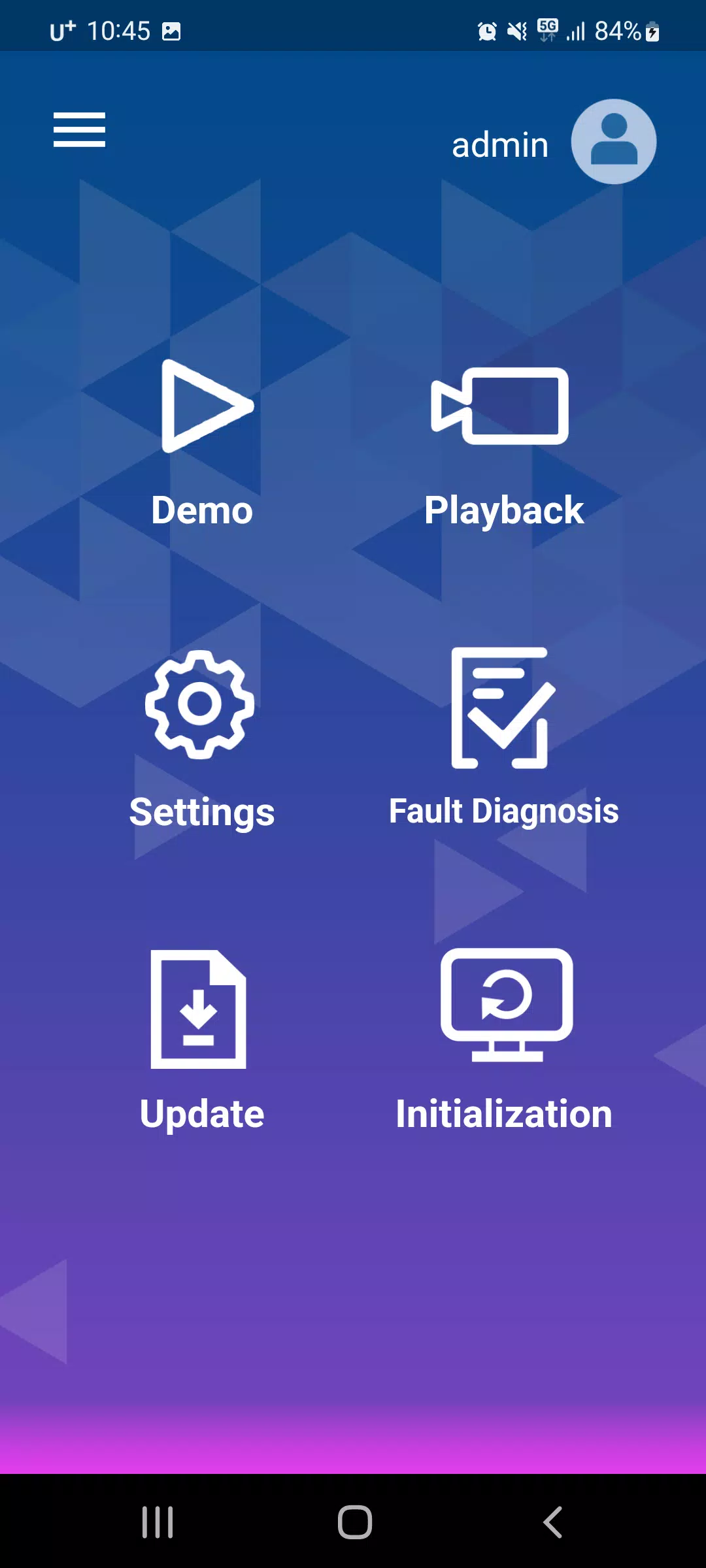
- Browse SD Card: View list of recorded video files (organized by date/time)
- Select & Download: Choose specific events for transfer to PC/mobile
- Playback Features:
- Full HD video playback with GPS overlay
- Speed and location markers
- Synchronized audio and video
- Search by event type, time, or GPS location
3. Driver Behavior Scoring
- AI-Powered Analytics based on GPS time, speed, and vehicle dynamics
- Key Metrics Tracked:
- Hard Braking Events
- Harsh Acceleration
- Lane Departures
- Drowsiness/Distraction Incidents
- Idle Time & Mileage
- Performance Reports:
- Daily/Weekly/Monthly driver scorecards
- Benchmarking against fleet averages
- Actionable feedback for driver coaching
4. Product Demonstration with Live Video
- Real-Time Face Recognition:
- Displays facial landmarks (eyes, mouth, head pose)
- Highlights gaze direction and blink rate
- Live Event Overlay:
- Visual and audio alerts triggered in real time
- Example: "Drowsiness Alert – 5 blinks in 10 seconds"
- Use Case: Ideal for training, onboarding, and demo sessions
5. Diagnostics
- System Health Check:
- Status of camera, microphone, GPS, G-sensor, and processor
- Fault Detection:
- Identifies issues (e.g., "Camera Blocked", "GPS Signal Lost", "Microphone Malfunction")
- Provides error codes and recommended actions
- Self-Test Mode:
- Automated startup diagnostics and calibration verification
6. Software Update
- Over-the-Air (OTA) Updates:
- Automatic notification when new firmware is available
- Manual Update Option:
- Upload .bin or .zip update files via USB/SD card
- Update Process:
- Safe mode during update to prevent system failure
- Progress indicator and reboot confirmation
- Version History:
- Tracks installed software and update logs
✅ Key Benefits of Movon AI App
- Proactive Safety: Prevents accidents through real-time driver alerts
- Fleet Management: Centralized data for compliance, auditing, and coaching
- User-Friendly Interface: Intuitive navigation for technicians and fleet managers
- Scalable: Supports multiple vehicles and integration with TMS, ELD, and cloud platforms
- Future-Proof: Regular updates ensure compatibility with evolving ADAS/DSM standards
📌 Note: Always perform software updates and calibration after installation or hardware changes. For best performance, use the official Movon AI App (iOS/Android/Windows) and ensure SD card is formatted for optimal recording.
Let me know if you’d like this turned into a PDF user manual, presentation slide deck, or interactive FAQ guide!













-
 『インフィニティ・ニッキ』、胸を打つ「青い涙」シーズン開幕
Infinity Nikkiの最新アップデートは「Blue Tears」シーズンを導入するニキとモモは、忘れられた長い謎を解きながら、神秘的な20年に1度の現象を調査する新しいストーリーラインと追加のサイドクエストを発見Infold Gamesの人気ある着せ替えシミュレーション『Infinity Nikki』は、最新シーズン「Blue Tears」の到来により、さらに成長を続けている。このアップデートは、2024年7月8日から7月29日まで利用可能で、不気味な謎や探索できる新鮮なコンテンツをもた
Sep 24,2026 -
 Tightfisted 7 Little Words の答え - Try Hard Guides
吝嗇のクロスワードヒントに対する10文字の解答を特定しました。これは2026年6月12日付の『7 Little Words』パズルで出題されたものです。この解答により、現在のゲームを完了するのに役立ちます。吝嗇に対する『7 Little Words』の解答-------------------------------------↓. ?????????? ? タイルをクリックまたはタップして文字を表示します。以下の追加ヒント、 clue、および情報を確認してください。ヒントを非表示 有効化 ?
Sep 22,2026 - ◇ コルホールヘリオ:屋外で楽しむマジカルなゲーム体験 Sep 20,2026
- ◇ 『鳴潮』ショアキーパーのビルドとチームガイド Sep 19,2026
- ◇ 『ヴァンパイア・クロラーズ』、次期サバイバーズスピンオフの新作ゲームプレイを公開 Sep 16,2026
- ◇ 砂漠の樹木を売却する、ある種のクロスワードパズルのヒント - Try Hard Guides Sep 15,2026
- ◇ Valve, Steamの「ギャンブル」指定は表現の自由侵害であり「保護されたゲームデザインに不可避な萎縮効果をもたらす」と主張 Sep 14,2026
- ◇ 目標を達成する クロスワード クラウン - 努力ガイド Sep 13,2026
- ◇ メカブレイクの予約とDLC Sep 12,2026
- ◇ 007『ファーストライト』のオープニングミッションがオンラインで流出、IOはゲームの最初の13分間を提供して対抗 Sep 11,2026
- ◇ 『シヴィライゼーション7』、Nintendo Switch 2のJoy-Conマウス機能を hint ~ Firaxisが明かす Sep 09,2026
- ◇ ウェイフェアのメモリアルデーセール:メディアコレクション用の本棚が大幅割引 Sep 09,2026


![Zenless Zone Zero [ZZZ] コード (2024 年 12 月) – 1.4 Livestream コード](https://imgs.96xs.com/uploads/54/1735628542677396feeb34f.jpg)
- 1 Stellar Blade PC の発売日が 2025 年に決定 Jan 05,2025
- 2 WWE 2K24 アップデート 1.11 がリリースされました Nov 10,2024
- 3 2025年3月の新しいレゴセット:Bluey、Harry Potterなど Mar 06,2025
- 4 ゴシック1リメイクデモ:オリジナルとのフレームごとの比較 May 01,2025
- 5 PUBG Mobile 2025年1月のコードを引き換えます Feb 13,2025
- 6 Roblox の RNG War TD コードが解放されました (2025 アップデート) Feb 12,2025
- 7 「アサシンのクリードシャドウズがキヤノンモードを発表する」 Apr 26,2025
- 8 PokémonTCGポケットは、プレミアムパスを発表し、トークンを取引します Apr 21,2025





-
Android向けビジネス管理アプリトップ
合計 10
-
今プレイするのに最適なレーシングゲーム
合計 10











