

Advanced LT for HYUNDAI
- Auto & Vehicles
- 2.0
- 841.3 KB
- by Dare Apps
- Android 4.1+
- Mar 31,2025
- Package Name: com.ideeo.hyadvancedlite
Monitor specific HYUNDAI parameters by adding this plugin to Torque Pro.
Enhance your vehicle diagnostics by monitoring specific HYUNDAI parameters in real-time, including advanced sensor data from both the engine and automatic transmission, by integrating this plugin into Torque Pro.
Advanced LT is a specialized plugin designed for Torque Pro, which expands the PID/Sensor list to include specific parameters tailored for HYUNDAI vehicles. You can test the plugin with a limited set of sensors before deciding to purchase. Please note that this version does not include calculated sensors such as Injector Duty Cycle (%) or HIVEC mode.
PLEASE NOTE that while other HYUNDAI models and engines may be compatible, the plugin has been thoroughly tested on the following models/engines:
- Accent 1.4/1.6 MPI
- Accent/Solaris 1.4/1.6 GDI
- Accent/Solaris 1.6 CRDI
- Elantra/i30 2.0
- Genesis Coupe 2.0 MPI/GDI
- Genesis Coupe 3.8 V6
- Getz 1.5 CRDI
- Getz 1.6/1.4/1.3 MPI
- i30 1.6 GDI
- i30 1.6 CRDI
- i40 2.0 MPI
- i40 1.6 GDI
- i40 1.7 CRDI
- SantaFe 3.3 V6
- SantaFe 2.0 CRDI
- SantaFe 2.4 MPI/GDI
- SantaFe 2.7 V6
- SantaFe 2.0/2.2 CRDI
- SantaFe 3.3 V6
- Sonata 2.0/2.4 MPI/GDI
- Sonata/i45 2.0/2.4 MPI/GDI
- Sonata 2.0 T-GDI
- Tiburon 2.0 MPI
- Tiburon 2.7 V6
- Terracan 2.9 CRDI
- Tucson 2.0 CRDI
- Tucson 2.0 MPI
- Tucson 2.7 V6
- Tucson/ix35 2.0/2.4 MPI/GDI
- Tucson/ix35 2.0 CRDI
- Veloster 1.6 MPI/GDI
- Veloster 1.6 T-GDI
- Veracruz/ix55 3.8 V6
- Veracruz/ix55 3.0 CRDI
The plugin also features an ECU Scanner, which is invaluable for identifying specific sensors on HYUNDAI engines not yet supported by the plugin. Simply record at least 1000 samples and send the logs to the developer for further assistance.
To utilize Advanced LT, you must have the latest version of Torque Pro installed, as this plugin is not a standalone application and will not function without it.
Plugin Installation
- After downloading the plugin from Google Play, confirm that it appears in your Android device's installed applications list.
- Open Torque Pro and tap on the "Advanced LT" icon.
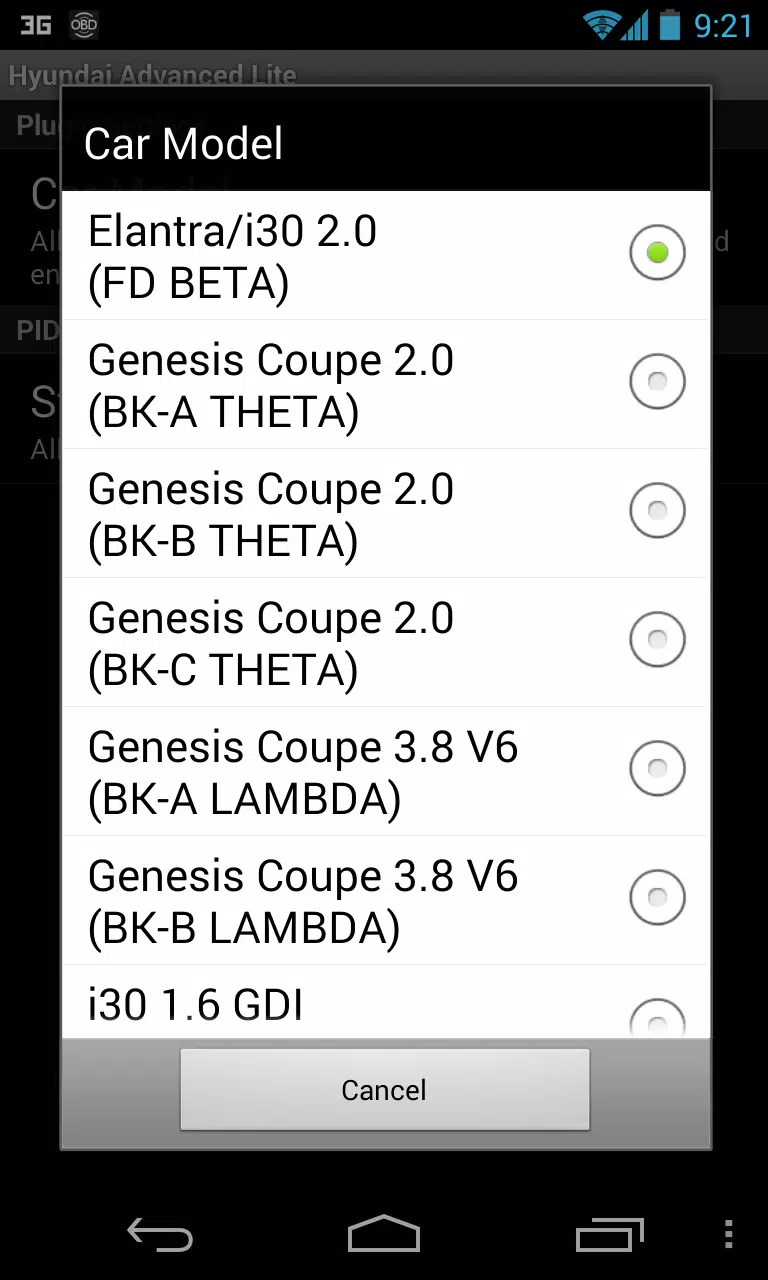
- Choose the correct engine type and return to the Torque Pro main screen.
- Navigate to Torque Pro's "Settings".
- Verify the plugin's presence in Torque Pro by selecting "Settings" > "Plugins" > "Installed Plugins".
- Scroll to "Manage extra PIDs/Sensors".
- Typically, this screen will be empty unless you have previously added predefined or custom PIDs.
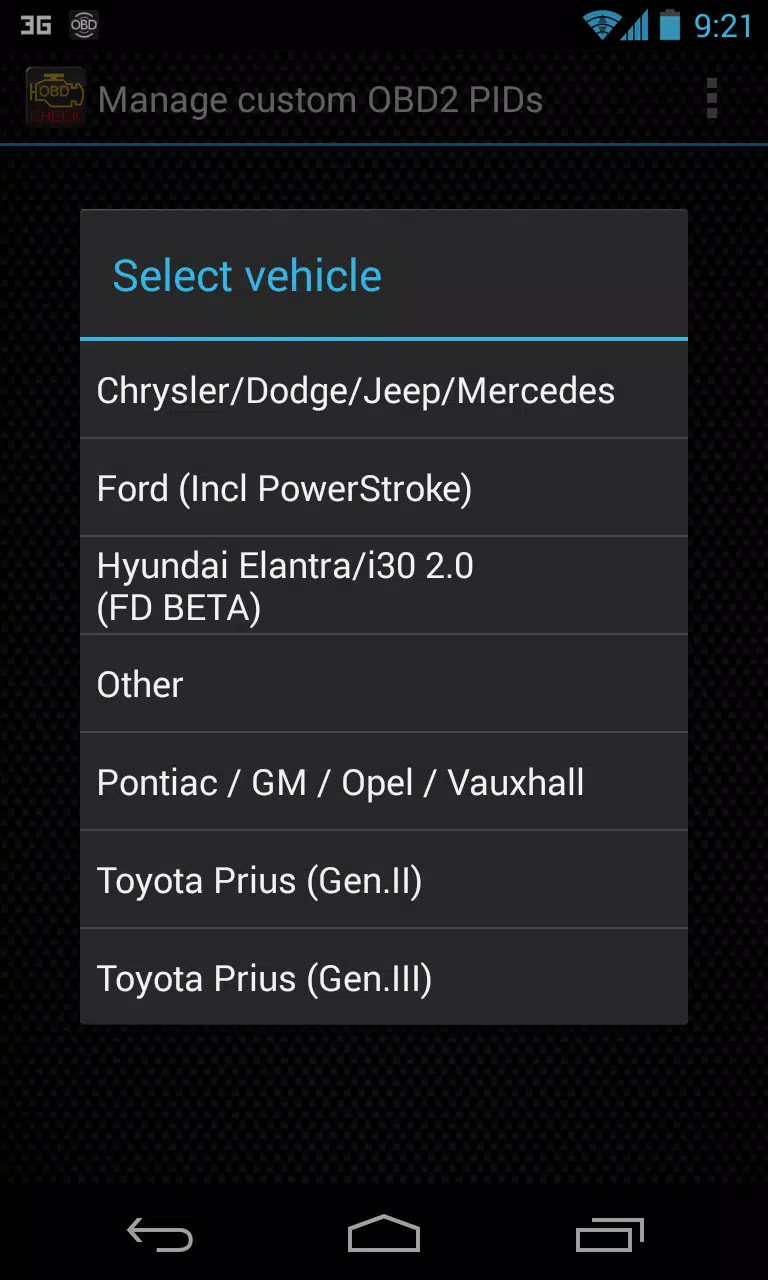
- From the menu, select "Add predefined set".
- Ensure you select the appropriate set for your HYUNDAI engine type.
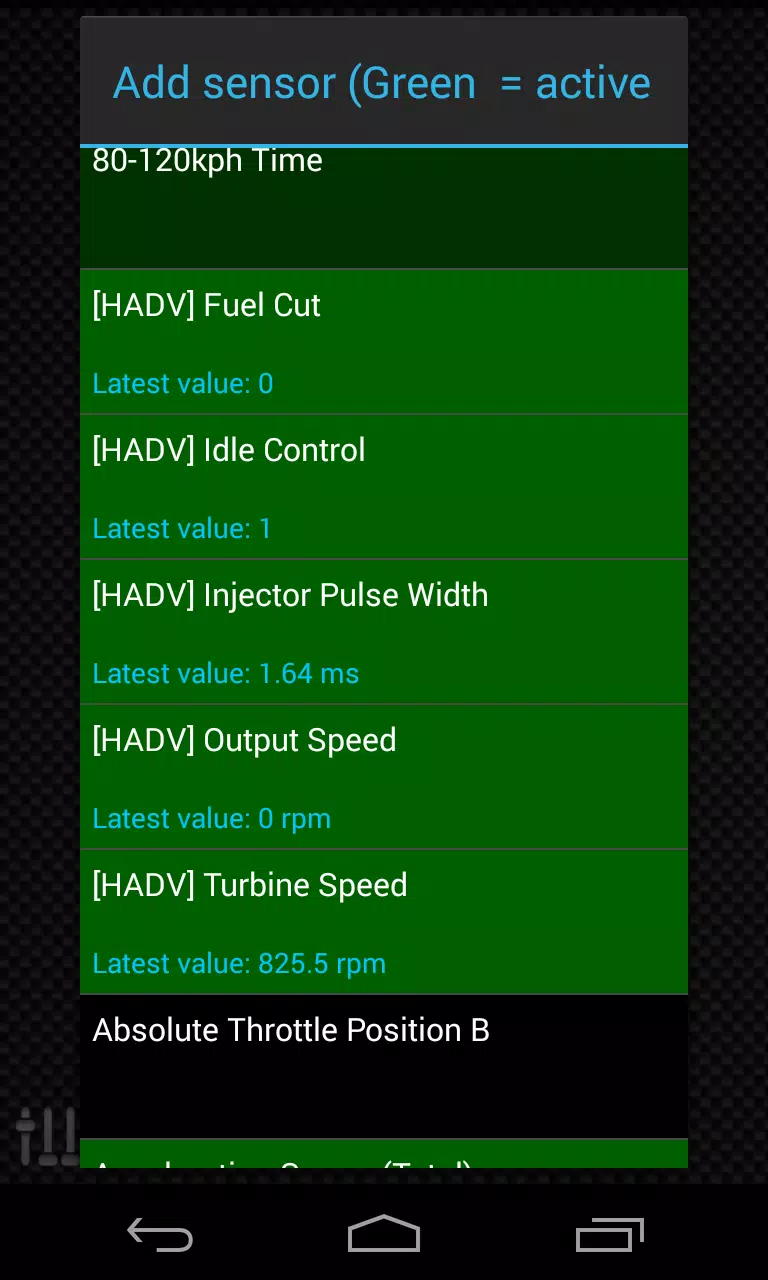
- After selecting the correct entry, you should see additional entries on the Extra PIDs/Sensors list.
Adding Displays
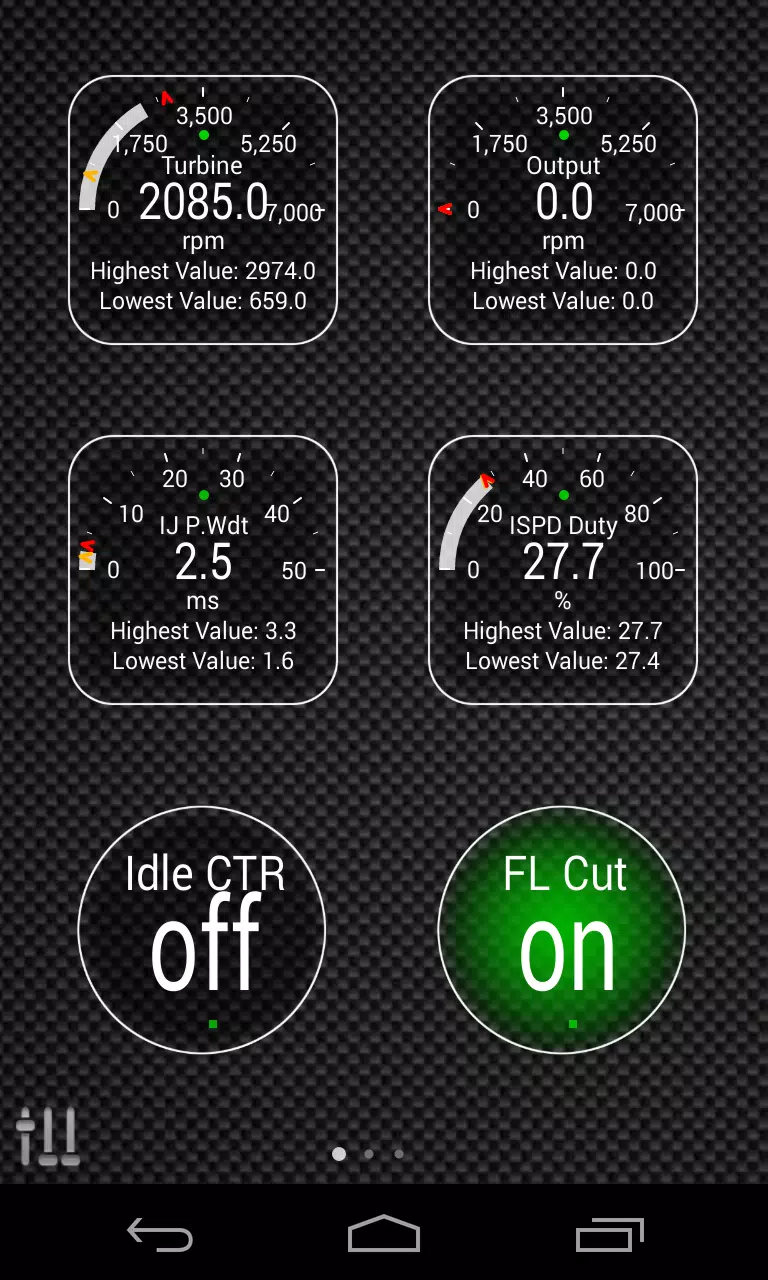
- Once the additional sensors are added, go to the Realtime Information/Dashboard.
- Press the menu key and select "Add Display".
- Choose the desired display type (e.g., Dial, Bar, Graph, Digital Display).
- Select the appropriate sensor from the list. Sensors from Advanced LT are prefixed with "[HADV]" and are typically listed just after the time sensors at the top of the list.
Future updates will include more features and parameters. Your feedback and suggestions are always welcome to help improve the plugin.














-
 Scalebound Revival Rumors Resurface with Kamiya's Call to Action
Scalebound, once a highly anticipated action title, blended intense combat, music, and a unique dragon companion interaction system. Positioned as a rare Xbox One exclusive, it sparked significant exc
Dec 23,2025 -
 Hello Kitty Island Adventure Launches Sunshine Celebration
Hello Kitty Island Adventure is launching a major summer celebrationDive into the Sunshine Celebration and acquire stylish tropical outfitsParticipate in City Classics and soak up the summer sun and entertainmentIf the recent surge of new events didn
Dec 23,2025 - ◇ RS Pharaoh’s Folly: Alter Fate in Shifting Tombs Dec 22,2025
- ◇ Hero Stickman RPG Revives Side-Scrolling Beat ‘Em Ups Dec 22,2025
- ◇ Minetris Debuts Ultimate Tetris Mobile Game Dec 21,2025
- ◇ Demon Hunters Tops Netflix Charts with Historic Viewership Dec 21,2025
- ◇ Devil Hunter Raider: Essential Class Tactics Revealed Dec 21,2025
- ◇ Enola Holmes 3 Starts Shooting, Brown and Cavill Back Dec 21,2025
- ◇ Uno Wonder Mobile Game Launches Next Month Dec 20,2025
- ◇ Wind Waker HD for Switch 2 Being Considered Dec 20,2025
- ◇ "First Official Godzilla LEGO Set Unveiled" (43字符) Dec 19,2025
- ◇ Candy Crush All Stars Tournament Returns for Fifth Edition Dec 19,2025




- 1 Zenless Zone Zero [ZZZ] Codes (December 2024) – 1.4 Livestream Codes Feb 08,2025
- 2 Capcom Spotlight February 2025 and Monster Hunter Wilds Showcase: Everything Announced Mar 05,2025
- 3 New LEGO Sets for March 2025: Bluey, Harry Potter, and More Mar 06,2025
- 4 Gothic 1 Remake Demo: Frame-by-Frame Comparison with Original May 01,2025
- 5 Blazing Conquest: Conquer Lords Mobile on Mac with BlueStacks Air Feb 21,2025
- 6 PUBG Mobile Redeem Codes for January 2025 Live Now Feb 13,2025
- 7 "Tower of God: New World Introduces Alphine and Kaiser" Jun 28,2025
- 8 Pokémon TCG Pocket Unveils Premium Pass and Trade Tokens Apr 21,2025





-
Best Racing Games to Play Now
A total of 10
-
Top Business Management Apps for Android
A total of 10
-
Best Competitive Multiplayer Games on Android
A total of 10











