
AnimeMaker
- Tools
- 20231123
- 30.09M
- by kenmaz.net
- Android 5.1 or later
- May 21,2025
- Package Name: kenmaz.net.animemaker
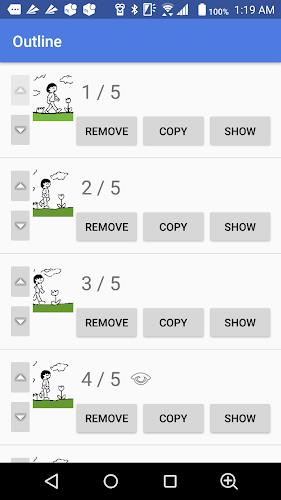
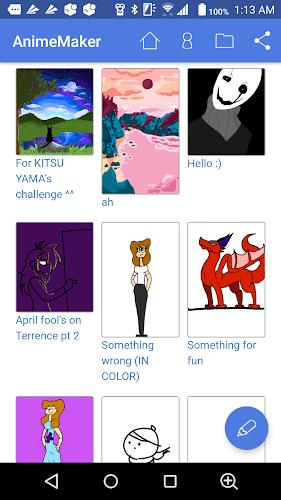
Unleash your creativity with the innovative AnimeMaker app, designed to transform your drawings into captivating animations with just a touch. This powerful tool enables you to craft stunning flipbook animations, where you can fine-tune the brush width and color to match your artistic vision. The app is equipped with essential features like undo, eraser, and the ability to control animation speed, making it easier than ever to perfect your work. Seamlessly add, remove, duplicate, and organize frames to refine your masterpiece. Once you're thrilled with your creation, share it with the world by uploading it online. Let your imagination soar with this dynamic tool and showcase your animation talent to the fullest.
Features of AnimeMaker:
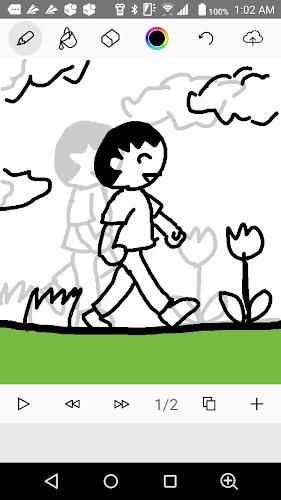
Drawing with Touch: The app empowers you to sketch and animate directly on your device using your fingertips. This intuitive feature provides you with complete control over the design and movement of your characters, making the animation process both fun and engaging.
Creating Flipbook Animation: With AnimeMaker, you can effortlessly produce flipbook-style animations by drawing sequential frames and playing them back in a continuous loop. This feature breathes life into your drawings, creating dynamic and engaging animations that captivate your audience.
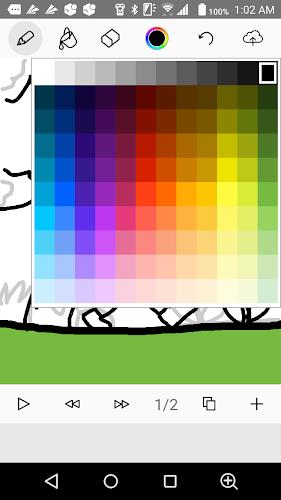
Customizing Brush Width and Colors: The app offers a wide range of brush widths and colors, allowing you to personalize your artwork to your heart's content. Whether you're aiming for bold outlines or delicate details, you can adjust the settings to perfectly suit your artistic style.
Undo and Eraser Tools: Everyone makes mistakes, but AnimeMaker makes it easy to correct them with its undo and eraser tools. You can confidently edit and refine your animations, knowing that you can easily fix any errors without starting over.
Tips for Users:
Start with a Simple Project: If you're new to animation, begin with a small and straightforward project to familiarize yourself with the app's features. This approach will help you build confidence and gradually enhance your skills.
Experiment with Different Brush Sizes: Don't hesitate to try out various brush widths to create unique and eye-catching animations. Varying the thickness of your lines can add depth and dimension to your artwork, making it stand out.
Use the Undo Tool Wisely: The undo tool is your best ally when refining your animation. Make the most of this feature to fine-tune your drawings and make necessary adjustments, ensuring your final product is polished and professional.
Conclusion:
AnimeMaker is a user-friendly app that empowers you to unleash your creativity and bring your imagination to life through animation. With its intuitive drawing tools, customizable features, and helpful tips, you can easily create captivating animations that are sure to impress. Whether you're a seasoned artist or a novice animator, the app offers endless possibilities for you to explore and showcase your talent. Download AnimeMaker now and start animating today!



![Navigation [Galaxy watches]](https://imgs.96xs.com/uploads/16/1719659712667fecc01b221.jpg)








-
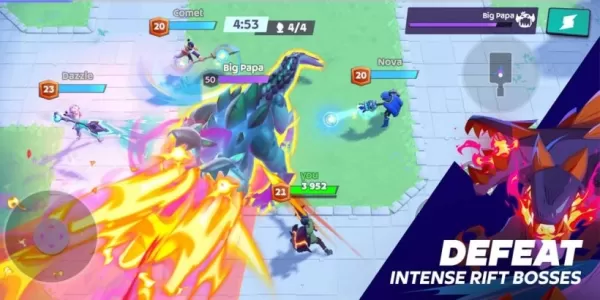 Mo.co is now available to play worldwide so you can ditch the invite-only FOMO
Supercell has officially lifted its invite-only restrictionJump into mo.co today and start hunting monsters right awayAdditional adjustments are planned for future updatesIf you’ve been feeling left out due to Supercell’s exclusive access model for
Oct 08,2026 -
ConcernedApe Crafts Games Passionately, Unswayed by Profit
Stardew Valley creator Eric "ConcernedApe" Barone has disclosed that he receives no payment for crossover events featuring his beloved farming simulation game, explaining that his motivation stems purely from being "a fan of the other titles, or beli
Oct 08,2026 - ◇ Subway Surfers Debuts Pride-Themed Update in Barcelona Oct 07,2026
- ◇ Red Bull Playgrounds Lets You Ride BMX bikes, Skate, and Do Parkour, Out Now Oct 05,2026
- ◇ Afghanistan's neighbor Crossword Clue - Try Hard Guides Oct 05,2026
- ◇ Kojima's PlayStation Exclusive Physint Is Still Coming, But Right Now It's In The 'Conceptual Stage' Oct 04,2026
- ◇ Sonic the Hedgehog 4 Launch Date Revealed Oct 04,2026
- ◇ Gang of Dragon Release Date and Time Oct 02,2026
- ◇ Paradox Teases New Grand Strategy Title Oct 02,2026
- ◇ The Witcher 4 on UE5 at Unreal 2025 Event Oct 01,2026
- ◇ Supercell's Squad Busters to Shut Down Post-Update Sep 30,2026
- ◇ Boggle Meets Rubik's Cube in TED Tumblewords, Out Once Again on Android Sep 29,2026


![Zenless Zone Zero [ZZZ] Codes (December 2024) – 1.4 Livestream Codes](https://imgs.96xs.com/uploads/54/1735628542677396feeb34f.jpg)

- 1 Capcom Spotlight February 2025 and Monster Hunter Wilds Showcase: Everything Announced Mar 05,2025
- 2 WWE 2K24 Update 1.11 Released Nov 10,2024
- 3 New LEGO Sets for March 2025: Bluey, Harry Potter, and More Mar 06,2025
- 4 Gothic 1 Remake Demo: Frame-by-Frame Comparison with Original May 01,2025
- 5 Roblox's RNG War TD Codes Unleashed (2025 Update) Feb 12,2025
- 6 PUBG Mobile Redeem Codes for January 2025 Live Now Feb 13,2025
- 7 "Assassin's Creed Shadows Unveils Canon Mode" Apr 26,2025
- 8 Pokémon TCG Pocket Unveils Premium Pass and Trade Tokens Apr 21,2025





-
Top Business Management Apps for Android
A total of 10
-
Best Racing Games to Play Now
A total of 10
-
Best Competitive Multiplayer Games on Android
A total of 10











