

Parental Control FamilyTime
FamilyTime Parental Control App
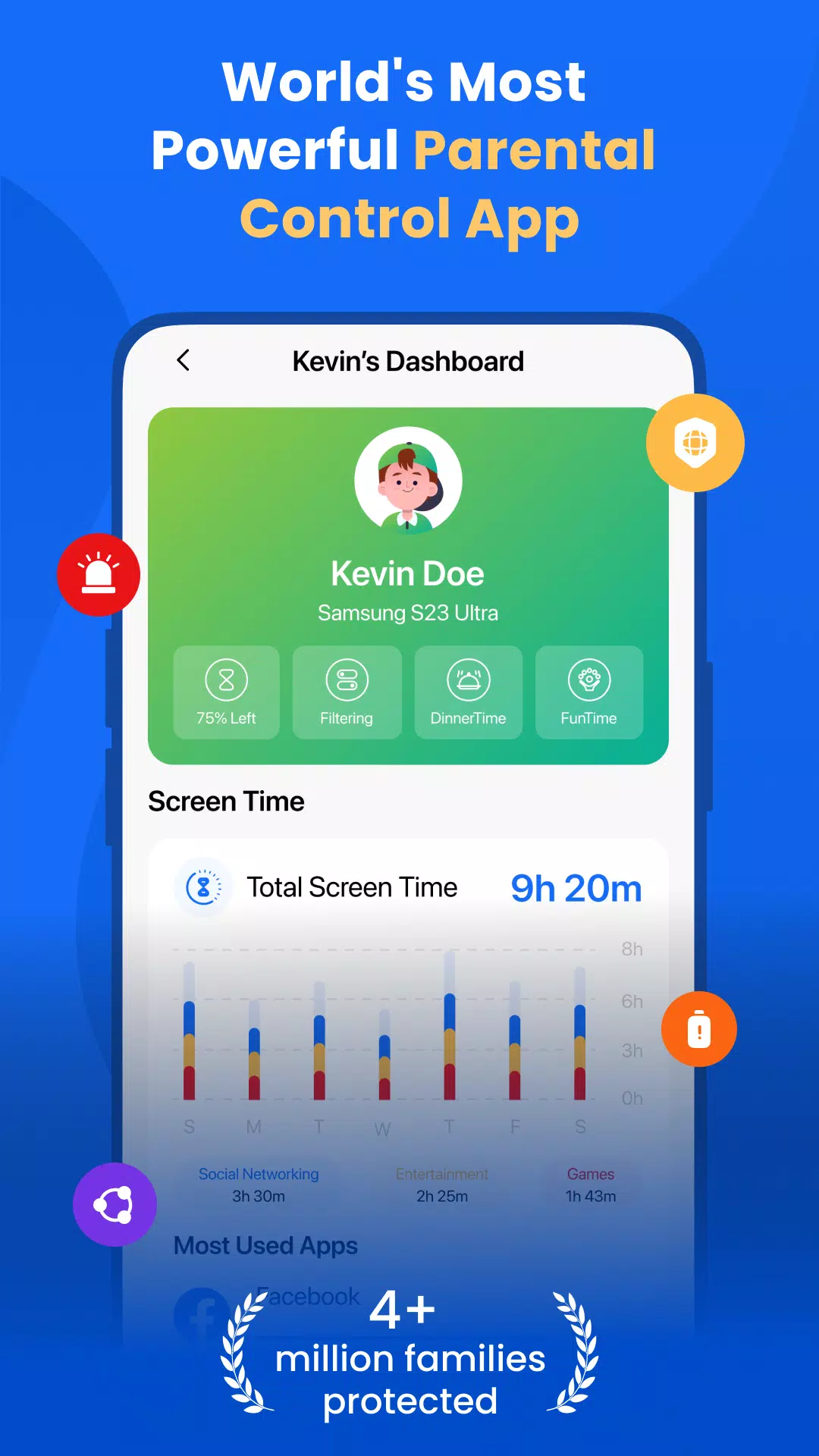
The FamilyTime Parental Control App is designed to help parents manage their children's screen time effectively, ensuring a balanced and safe digital experience. With features like app and game blocking, parents can easily control their child's device usage. FamilyTime also offers advanced monitoring capabilities, including location tracking, YouTube and TikTok history monitoring, call and SMS tracking, app usage monitoring, app limits, and family tracking.
A Parental Control App
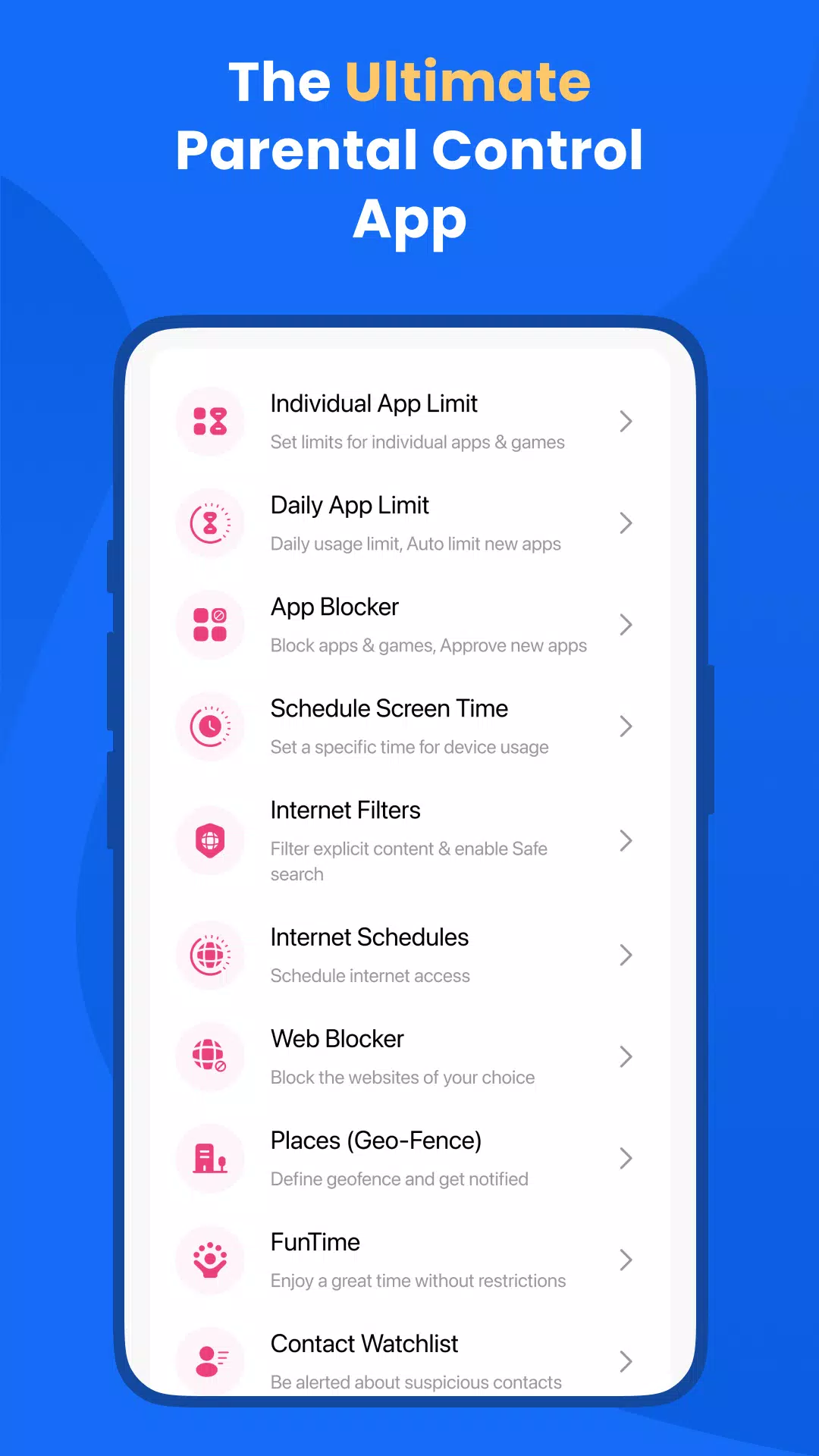
FamilyTime allows parents to set daily or hourly limits on device usage, promoting a healthy balance between screen time and other activities. The app provides the ability to quickly approve or lock apps as needed.
Screen Time Schedules: Create schedules for when your children can use their devices, including specific times like Dinner Time, Homework Time, and Bed Time. Customize schedules to fit your family's routine.
Daily App Limits: Automatically block apps and games once their daily time limit is reached. Set individual limits for each app to manage usage effectively.
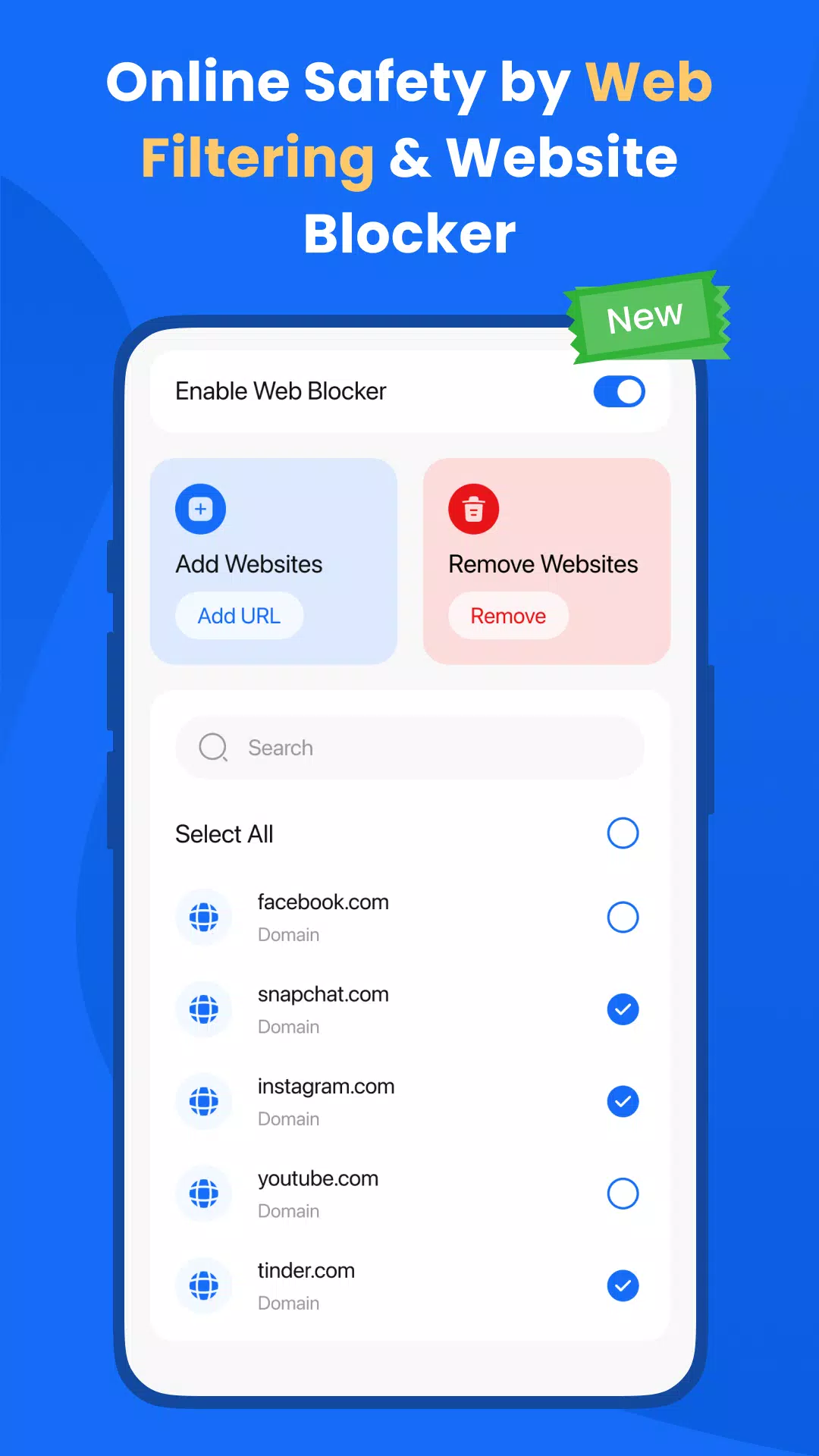
Web Blocker: Enhance your child's safety online by blocking unwanted websites. Create a block list to prevent access to harmful content.
FamilyPause: Instantly lock your child's device to encourage disconnection from Android devices when necessary.
Web Filtering: Protect your child from inappropriate websites and content. Enforce safe search settings on Google and Bing to filter out pornography and adult content.
Approve Apps: Gain control over the apps installed on your child's phone by approving or rejecting them.
A Parental Monitoring App:
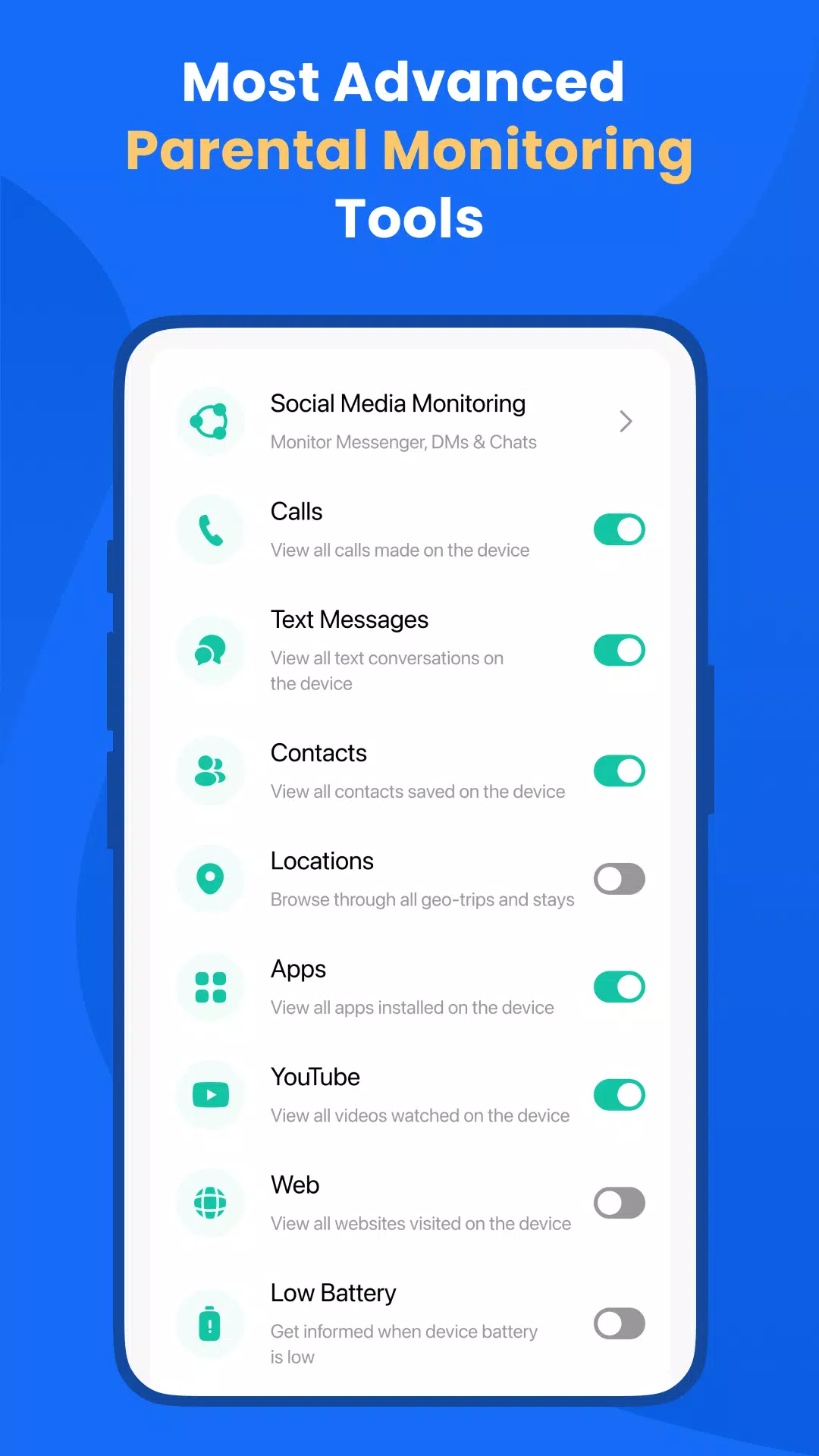
FamilyTime is not just a control app; it's also a comprehensive monitoring tool.
Family Locator and GPS Tracker: Utilize the built-in Family Locator feature to track your child's location in real-time, receiving updates directly to your phone.
Social Media Monitoring: Monitor your child's social media activities to protect them from cyberbullying and inappropriate content.
Call and SMS Monitoring: Keep track of your child's communications, including calls and text messages, for added peace of mind.
Geofencing: Set up virtual boundaries and receive alerts when your child enters or leaves these areas.
SOS/Panic Button: Equip your child with an emergency button to quickly alert you or other trusted contacts in case of an emergency.
Why FamilyTime is the Best Parental Control App:
30-day Reporting History: Access detailed reports of your child's device usage over the past month.
Priority Live Support: Get immediate assistance with priority live support.
Invite Another Guardian: Add another guardian to supervise your child's activity at no extra cost.
Free Access to New Features: Enjoy free updates and new features as they become available.
Link More Devices: Manage multiple devices for full family coverage.
Privacy Protection and GDPR Compliance: Rest assured that your family's data is protected and compliant with GDPR standards.
Data Security and Safety: Benefit from end-to-end encryption for secure data handling.
To start using FamilyTime, download the FamilyTime Parental Control App on your Android device and the FamilyTime Jr. app on your child's device(s). This setup allows you to manage your child's screen time across different platforms seamlessly.
FAQ:
Is there any fee for installing FamilyTime App on a parent device? No, it's free for all parent devices. You can install it on multiple parent devices at no cost.
Which OS does the app work on? FamilyTime supports Android 8 or higher.
What languages do you support? The app is available in English, Spanish, French, Italian, Portuguese, German, Japanese, Turkish, Finnish, Arabic, and Chinese.
Try it for Free
Experience FamilyTime with a 3-day free trial after paying the minimum fee for an annual subscription.
Note:
We prioritize your privacy. Please review our:
➠ Privacy Policy at https://familytime.io/legal/privacy-policy.html
➠ Terms and Conditions at https://familytime.io/legal/terms-conditions.html
FamilyTime 是管理孩子屏幕时间的救星。应用锁定功能易于使用,确实有助于限制他们的设备使用。它用户友好,对我们家庭的数字习惯产生了很大影响。
FamilyTime ist ein Lebensretter, um die Bildschirmzeit meiner Kinder zu verwalten. Die Funktion zur Sperrung von Apps ist einfach zu bedienen und hilft wirklich, die Nutzung ihrer Geräte zu begrenzen. Es ist benutzerfreundlich und hat einen großen Unterschied in unseren digitalen Gewohnheiten gemacht.
FamilyTime is a lifesaver for managing my kids' screen time. The app blocking feature is easy to use and really helps in limiting their device usage. It's user-friendly and has made a big difference in our family's digital habits.
FamilyTime es muy útil para gestionar el tiempo de pantalla de mis hijos. La función de bloqueo de aplicaciones es fácil de usar y ayuda mucho a limitar su uso de dispositivos. Es amigable para el usuario y ha hecho una gran diferencia en nuestros hábitos digitales.
FamilyTime est un outil précieux pour gérer le temps d'écran de mes enfants. La fonction de blocage d'applications est facile à utiliser et aide vraiment à limiter leur utilisation des appareils. C'est convivial et a fait une grande différence dans nos habitudes numériques.














-
 Devil Hunter Raider: Essential Class Tactics Revealed
Devil Hunter: Raider is an exhilarating dark fantasy ARPG where you embody a formidable warrior charged with cleansing the world of demonic forces. In a vast realm consumed by turmoil, you will cut through hordes of evil using explosive combos, arcan
Dec 21,2025 -
 Enola Holmes 3 Starts Shooting, Brown and Cavill Back
Netflix has officially confirmed production has begun on Enola Holmes 3, bringing back fan favorites Millie Bobby Brown and Henry Cavill to reprise their iconic detective roles. The streaming giant revealed exciting new details about the upcoming mys
Dec 21,2025 - ◇ Uno Wonder Mobile Game Launches Next Month Dec 20,2025
- ◇ Wind Waker HD for Switch 2 Being Considered Dec 20,2025
- ◇ "First Official Godzilla LEGO Set Unveiled" (43字符) Dec 19,2025
- ◇ Candy Crush All Stars Tournament Returns for Fifth Edition Dec 19,2025
- ◇ inZOI Axes Denuvo DRM Following Apology Dec 18,2025
- ◇ Nintendo's Switch 2 Supply to Meet US Demand Dec 18,2025
- ◇ MindsEye Studio Begins Layoffs After Disastrous Launch Dec 18,2025
- ◇ Outer Worlds 2 Unleashes Bold RPG Character Creation - IGN Dec 18,2025
- ◇ Black Myth: Wukong Pauses Story for Zhong Kui Dec 18,2025
- ◇ Maxroll Launches BitCraft Game Guides Dec 17,2025




- 1 Zenless Zone Zero [ZZZ] Codes (December 2024) – 1.4 Livestream Codes Feb 08,2025
- 2 Capcom Spotlight February 2025 and Monster Hunter Wilds Showcase: Everything Announced Mar 05,2025
- 3 New LEGO Sets for March 2025: Bluey, Harry Potter, and More Mar 06,2025
- 4 Gothic 1 Remake Demo: Frame-by-Frame Comparison with Original May 01,2025
- 5 Blazing Conquest: Conquer Lords Mobile on Mac with BlueStacks Air Feb 21,2025
- 6 PUBG Mobile Redeem Codes for January 2025 Live Now Feb 13,2025
- 7 "Tower of God: New World Introduces Alphine and Kaiser" Jun 28,2025
- 8 Pokémon TCG Pocket Unveils Premium Pass and Trade Tokens Apr 21,2025





-
Best Racing Games to Play Now
A total of 10
-
Top Business Management Apps for Android
A total of 10
-
Best Competitive Multiplayer Games on Android
A total of 10











