
LINE: Calls & Messages
- Communication
- v13.19.1
- 75.93M
- by LINE Corporation
- Android 5.1 or later
- Aug 31,2026
- Package Name: jp.naver.line.android
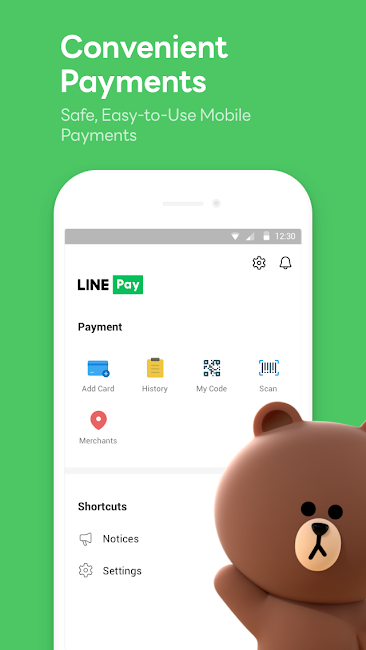
LINE is reshaping how people connect, bringing family, friends, and loved ones closer together—all for free. Enjoy voice and video calls, messaging, and an endless array of fun stickers to express yourself in creative new ways. Available globally on mobile, desktop, and Wear OS, LINE keeps expanding with fresh services and features designed to make life more enjoyable and convenient.
Features of LINE:
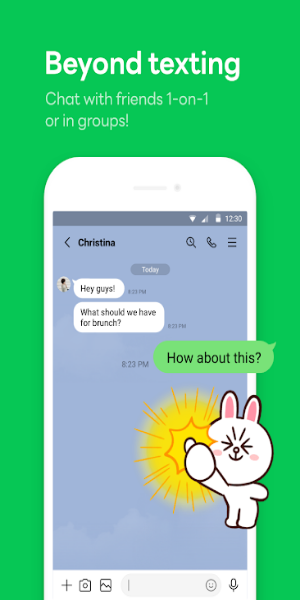
Messages, Voice Calls, Video Calls
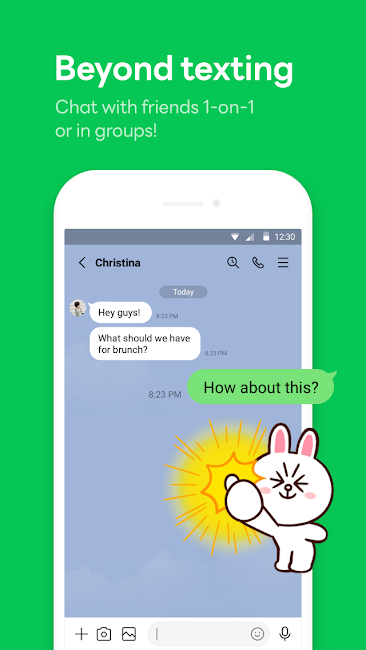
Stay in touch with friends on LINE through versatile communication options. Experience smooth messaging, quick voice calls, and face-to-face video chats. Whether you’re sharing updates with friends, conducting meetings, or just having a casual talk, LINE makes it easy to communicate across different devices.
LINE Stickers, Emojis, and Themes
Show off your personality with LINE’s huge library of stickers and emojis. Pick from a wide variety of emoticons to spice up your messages, and explore thousands of lively stickers that add emotion and humor. You can also personalize the LINE app with different themes, tailoring your chat experience to reflect your style and mood.
Home
The Home screen is your central dashboard in LINE, giving you quick access to key features. Manage your friends list, keep up with birthdays, discover new stickers in the shop, and explore various LINE services—all from one clean, easy-to-use interface. Find what you need in just a few taps.
Seamless Connection on Mobile, Wear OS, and PC
Chat wherever you are with LINE’s smooth multi-platform sync. Whether you’re out and about, at the office, or using your computer, stay connected via smartphone, Wear OS smartwatch, or PC. Your conversations move with you, so you’re never out of reach.
Store Your Personal Information with Keep Memo
Create a private chatroom with Keep Memo to save messages, photos, and videos temporarily. It’s a handy space within LINE to organize and revisit important content from your chats, so nothing gets lost in the shuffle.
Messages Protected with Letter Sealing
Keep your chats private with Letter Sealing, which encrypts your messages, call logs, and location data. With this feature, you can communicate confidently, knowing your conversations are safe from unwanted access.
Smartwatch Integration
If you use a Wear OS smartwatch, pair it with LINE to read and reply to messages right from your wrist. Add the LINE complication to your watch face for instant access, so you can stay updated without pulling out your phone.
Tips for Users:
1. Installation and Setup:
- Download LINE from your device’s app store (Google Play for Android, App Store for iOS).
- Open the app and follow the steps to create an account using your phone number or email.
2. Adding Friends:
- After logging in, add friends by searching their LINE ID, scanning their QR code, or syncing your device contacts.
3. Messaging:
- Tap a friend’s name to open the chat.
- Type in the text box and hit send.
- Add emojis, stickers, or GIFs to liven up your messages.
4. Voice and Video Calls:
- In a chat, tap the phone icon for a voice call or the camera icon for video.
- Wait for your friend to accept, and you’re ready to talk.
5. Exploring Features:
- Browse sections like Home to manage friends, see birthdays, and find other LINE services.
- Personalize your app with themes from the theme shop.
6. Privacy and Security:
- Turn on Letter Sealing for end-to-end encrypted messages.
- Adjust notification and privacy settings to your liking.
7. Cross-Platform Access:
- Use LINE on smartphones, Wear OS watches, and desktops to stay connected everywhere.
These steps offer a basic guide to using LINE for messaging and calling. For more details or help, check LINE’s official support or the help section inside the app.
Conclusion:
LINE is a flexible, modern communication platform that blends messaging, voice, and video calls effortlessly. With its rich selection of stickers, emojis, and themes, every conversation becomes more expressive. The Home screen keeps everything organized—friends, birthdays, and new services are just a tap away. Whether you’re on mobile, Wear OS, or desktop, LINE keeps you connected. Features like Keep Memo help store personal info securely, while Letter Sealing guards your privacy. Embrace convenience, security, and creative communication with LINE: your go‑to app for staying close across all devices.
-
Gambar Status WA 2021 Terbaru

-
Popshots

-
Inspiro - inspiring speeches

-
LiveMe+: Live Stream & Go Live

-
NGL: anonymous q&a

-
TapCaption - AI Captions

-
TurboTel Pro

-
T전화 - AI로 더 똑똑해진 전화 앱!

-
Ezhava Mangalyam Matrimony

-
Grindr Lite

-
Doppelgangers - find your twin

-
UK Chat - Group Chat Rooms

-
Sage: Age Gap Dating

-
K-Pop Amino en Español

-
 Choosing Wakasa or Otama in Assassin's Creed Shadows: Key Mission Impacts
Not every choice in Assassin’s Creed Shadows carries weight, but deciding to confront Wakasa or Otama in “The Tea Ceremony” mission shapes the rest of your campaign.Both tea ceremony participants rais
Oct 16,2026 -
 Atomfall Gameplay Trailer Reveals New Details About the Post-Apocalyptic World
Rebellion has released a new trailer for Atomfall, spotlighting its gameplay, world design, and immersive atmosphere in this upcoming post-apocalyptic title. The video includes insights from game director Ben Fisher, revealing the nuanced details tha
Oct 12,2026 - ◇ Saber Interactive Unveils Warhammer 40,000: Space Marine 2 Siege Mode and Future Content Plans Oct 10,2026
- ◇ Paul McCartney's group 7 Little Words Answer - Try Hard Guides Oct 10,2026
- ◇ Mo.co is now available to play worldwide so you can ditch the invite-only FOMO Oct 08,2026
- ◇ ConcernedApe Crafts Games Passionately, Unswayed by Profit Oct 08,2026
- ◇ Subway Surfers Debuts Pride-Themed Update in Barcelona Oct 07,2026
- ◇ Red Bull Playgrounds Lets You Ride BMX bikes, Skate, and Do Parkour, Out Now Oct 05,2026
- ◇ Afghanistan's neighbor Crossword Clue - Try Hard Guides Oct 05,2026
- ◇ Kojima's PlayStation Exclusive Physint Is Still Coming, But Right Now It's In The 'Conceptual Stage' Oct 04,2026
- ◇ Sonic the Hedgehog 4 Launch Date Revealed Oct 04,2026
- ◇ Gang of Dragon Release Date and Time Oct 02,2026


![Zenless Zone Zero [ZZZ] Codes (December 2024) – 1.4 Livestream Codes](https://imgs.96xs.com/uploads/54/1735628542677396feeb34f.jpg)

- 1 Capcom Spotlight February 2025 and Monster Hunter Wilds Showcase: Everything Announced Mar 05,2025
- 2 WWE 2K24 Update 1.11 Released Nov 10,2024
- 3 New LEGO Sets for March 2025: Bluey, Harry Potter, and More Mar 06,2025
- 4 Gothic 1 Remake Demo: Frame-by-Frame Comparison with Original May 01,2025
- 5 Roblox's RNG War TD Codes Unleashed (2025 Update) Feb 12,2025
- 6 PUBG Mobile Redeem Codes for January 2025 Live Now Feb 13,2025
- 7 "Assassin's Creed Shadows Unveils Canon Mode" Apr 26,2025
- 8 Pokémon TCG Pocket Unveils Premium Pass and Trade Tokens Apr 21,2025





-
Top Business Management Apps for Android
A total of 10
-
Best Racing Games to Play Now
A total of 10
-
Best Competitive Multiplayer Games on Android
A total of 10











