
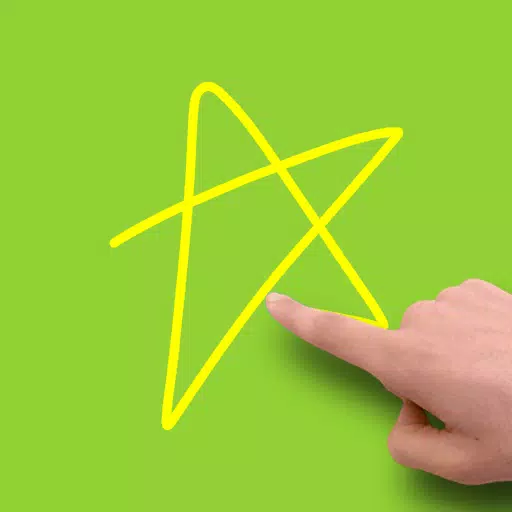
Gesture Lock Screen
Gesture Lock Screen: A Comprehensive Overview
Gesture
Unlock your phone effortlessly by drawing a password. Whether it's a simple gesture or a complex pattern, the Gesture Lock Screen allows you to:
- Add, change, or delete gestures at any time.
- Customize gesture colors to be invisible, solid, or transparent.
- Adjust gesture sensitivity for optimal performance.
- Choose between single or multiple gesture strokes.
- Set any letters, numbers, symbols, signatures, or custom designs as your gesture password.
Gesture Lock Screen is a unique signature lock screen that offers unparalleled personalization.
Intruder Selfie
Protect your privacy with the Intruder Selfie feature:
- Automatically snaps a photo of anyone who enters incorrect gestures or PINs.
- Send intruder alerts and photos directly to your email address.
- Display intruder notifications upon unlocking your device.
- Include date and time on intruder photos for better tracking.
- Customize the number of wrong attempts before an intruder selfie is taken.
- Easily view, open, or change the intruder selfie folder.
Gesture Lock Screen is an intruder selfie alert lock screen that enhances your device's security.
Notifications
Stay updated without compromising your security:
- Notifications on the lock screen are supported for Android 4.3 and newer.
- View unread messages, missed calls, music player, alarms, and more directly on the lock screen.
- Hide sensitive notification content for added privacy.
- Single or double tap notifications to draw your gesture and view details.
- Swipe to remove unwanted notifications.
- Customize notification background and text color.
- Adjust notification size and position to suit your preferences.
Gesture Lock Screen is a highly customizable notification lock screen that keeps you informed.
Security+
Never worry about forgetting your gesture:
- Use a recovery password to unlock your device if you forget your gesture.
- Set 4 to 8-digit recovery passwords for added security.
Gesture Lock Screen is a secure keypad lock screen that ensures you always have a backup plan.
Customization
Personalize your lock screen to reflect your style:
- ✨ Wallpaper: Choose from your local gallery or explore online Unsplash wallpapers.
- ✨ Rich date & time settings: Customize how time and date appear on your lock screen.
- ✨ Custom lock/unlock/error sounds: Add a personal touch with unique sounds.
- ✨ Unlock animations: Make unlocking your phone a delightful experience.
Gesture Lock Screen is a highly customizable DIY lock screen that lets you express your creativity.
Advanced
Simplify your phone's operations with advanced features:
- Screen off and lock your phone without pressing the physical power button.
- Lock your phone with just one tap.
- The app utilizes Device Administrator permission for enhanced functionality.
Download Gesture Lock Screen today, set your preferred letters, numbers, symbols, signatures, or contextual gestures as your password, and enjoy a seamless unlocking experience.
What's New in Version 4.37
Last updated on Oct 15, 2024
- Added intruder selfie feature
- Added time password functionality
- Fixed various bugs for improved performance
-
KidsGuard Pro-Phone Monitoring

-
HealthTap for Doctors

-
FitMax

-
Snaptic - Photo Lab Picture Editor, Bokeh Effects

-
Temu Vouchers

-
ApartX
-
Wall Color Selection - BEST
-
FishTrack - Fishing Charts

-
Face Yoga Exercise - Faceauty

-
FamilyKeeper - Kids

-
Cars.co.za

-
BaconReader for Reddit

-
Buggy Parking Game - Buggy Car

-
EZ Golf League

-
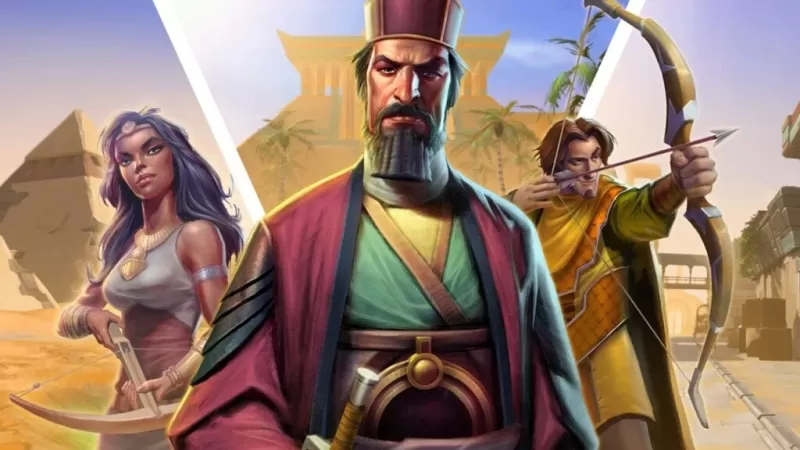 RS Pharaoh’s Folly: Alter Fate in Shifting Tombs
Jagex has unveiled their April Developer Diary detailing the latest RuneScape update – Return to the Desert: Pharaoh's Folly. This brand-new limited-time quest launches today and remains available until April 28th. Players must navigate the treach
Dec 22,2025 -
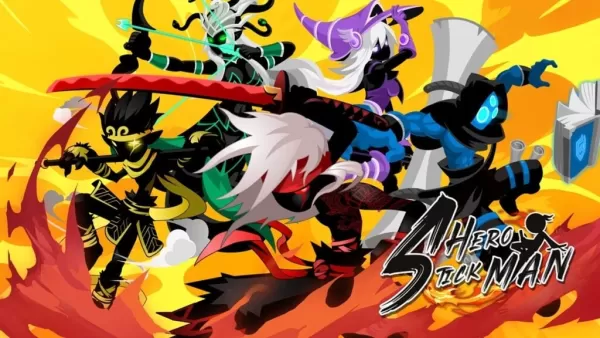 Hero Stickman RPG Revives Side-Scrolling Beat ‘Em Ups
Hero Stickman makes its Android debut today, offering a unique mix of turn-based tactics, dungeon exploration, and side-scrolling action. Developed by F5GAME, this RPG features stickman-style warriors with deep character collection mechanics, element
Dec 22,2025 - ◇ Minetris Debuts Ultimate Tetris Mobile Game Dec 21,2025
- ◇ Demon Hunters Tops Netflix Charts with Historic Viewership Dec 21,2025
- ◇ Devil Hunter Raider: Essential Class Tactics Revealed Dec 21,2025
- ◇ Enola Holmes 3 Starts Shooting, Brown and Cavill Back Dec 21,2025
- ◇ Uno Wonder Mobile Game Launches Next Month Dec 20,2025
- ◇ Wind Waker HD for Switch 2 Being Considered Dec 20,2025
- ◇ "First Official Godzilla LEGO Set Unveiled" (43字符) Dec 19,2025
- ◇ Candy Crush All Stars Tournament Returns for Fifth Edition Dec 19,2025
- ◇ inZOI Axes Denuvo DRM Following Apology Dec 18,2025
- ◇ Nintendo's Switch 2 Supply to Meet US Demand Dec 18,2025




- 1 Zenless Zone Zero [ZZZ] Codes (December 2024) – 1.4 Livestream Codes Feb 08,2025
- 2 Capcom Spotlight February 2025 and Monster Hunter Wilds Showcase: Everything Announced Mar 05,2025
- 3 New LEGO Sets for March 2025: Bluey, Harry Potter, and More Mar 06,2025
- 4 Gothic 1 Remake Demo: Frame-by-Frame Comparison with Original May 01,2025
- 5 PUBG Mobile Redeem Codes for January 2025 Live Now Feb 13,2025
- 6 Blazing Conquest: Conquer Lords Mobile on Mac with BlueStacks Air Feb 21,2025
- 7 "Tower of God: New World Introduces Alphine and Kaiser" Jun 28,2025
- 8 Pokémon TCG Pocket Unveils Premium Pass and Trade Tokens Apr 21,2025





-
Best Racing Games to Play Now
A total of 10
-
Top Business Management Apps for Android
A total of 10
-
Best Competitive Multiplayer Games on Android
A total of 10











