

Advanced LT for TOYOTA
- Auto & Vehicles
- 2.0
- 820.7 KB
- by Dare Apps
- Android 4.1+
- Apr 10,2025
- Package Name: com.ideeo.tyadvancedlite
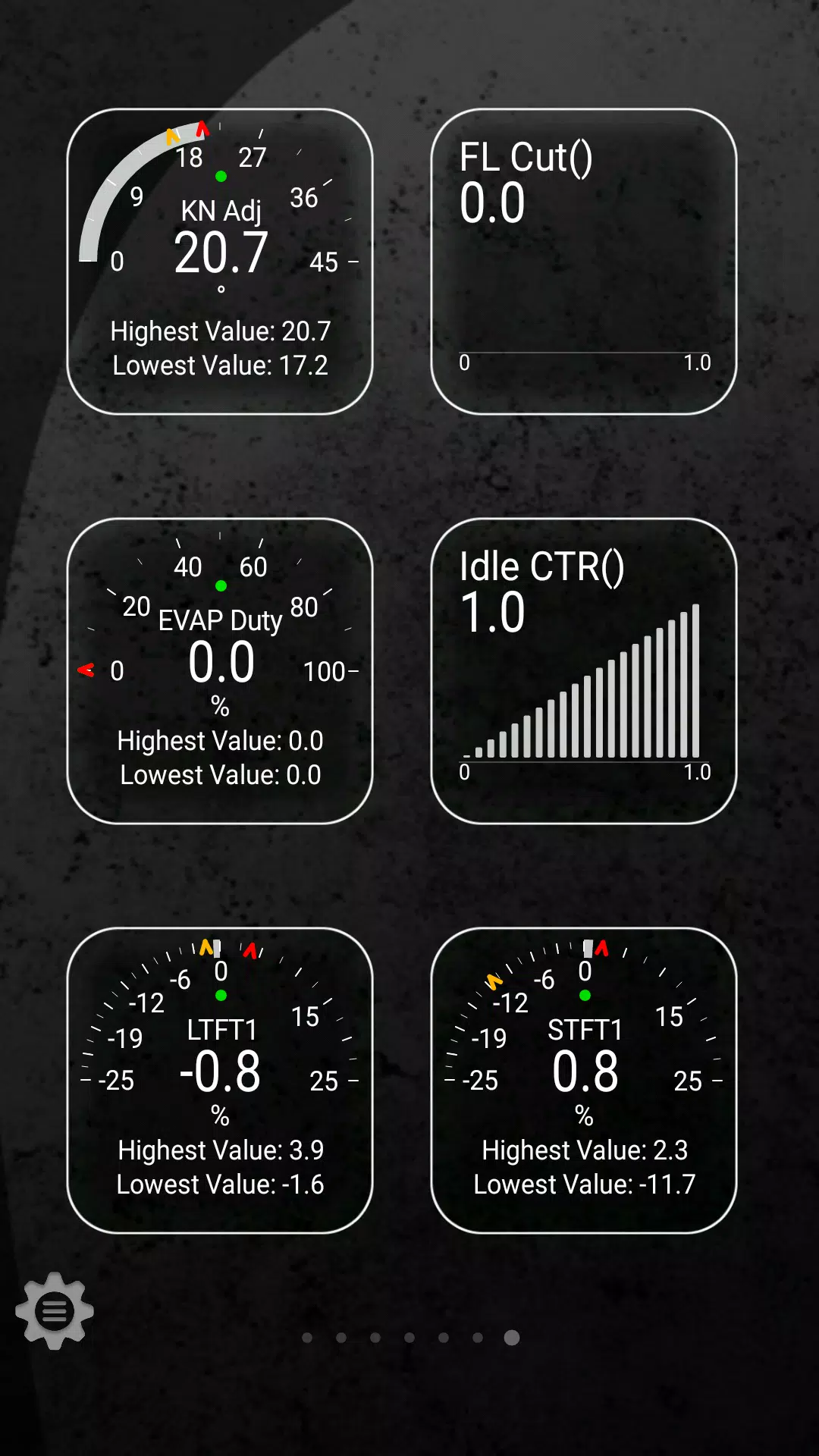
Enhance your vehicle diagnostics with the Advanced LT plugin for Torque Pro, designed specifically for monitoring a range of TOYOTA parameters in real-time. This plugin expands the capabilities of Torque Pro by adding advanced sensor data for both engine and automatic transmission systems, allowing you to gain deeper insights into your vehicle's performance.
Advanced LT is tailored for TOYOTA enthusiasts, offering a trial version with limited sensors before you decide to purchase. Please note that this version does not include calculated sensors such as Injector Duty Cycle.
Compatibility Note: While the plugin may work with other TOYOTA models and engines, it has been thoroughly tested on the following:
- Avensis 1.8/2.0 (T270)
- Corolla 1.8/2.0 (E140/E150)
- Corolla 1.6/1.8 (E160/E170)
- Camry 2.4/2.5 (XV40)
- Camry 2.0/2.5 (XV50)
- Highlander 2.7 (XU40)
- Highlander 2.0/2.7 (XU50)
- RAV4 2.0/2.5 (XA30)
- RAV4 2.0/2.5 (XA40)
- Verso 1.6/1.8 (R20)
- Yaris 1.4/1.6 (XP90)
- Yaris 1.3/1.5 (XP130)
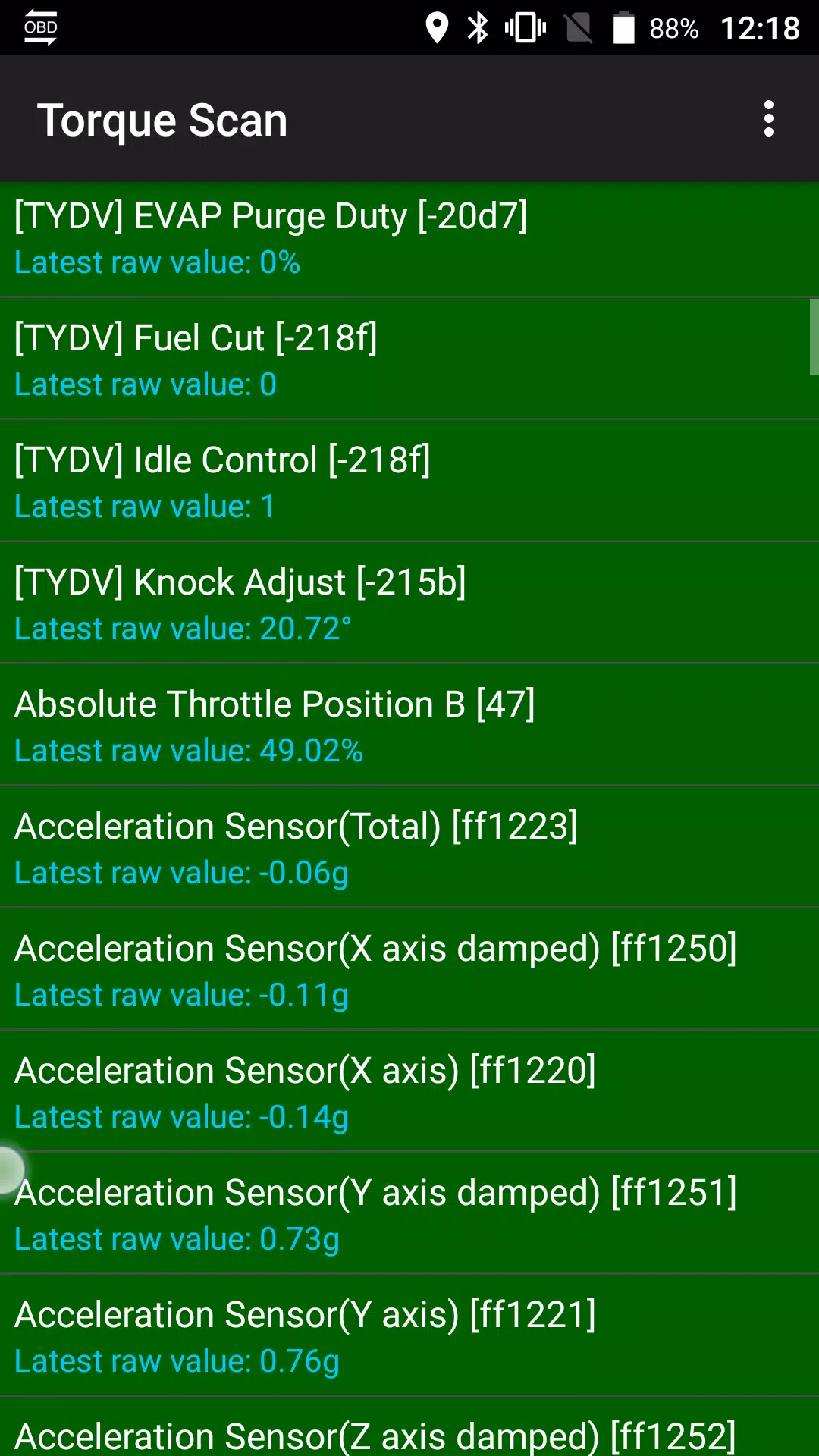
The plugin also features an ECU Scanner, which is invaluable for identifying specific sensors on TOYOTA engines not yet supported by the plugin. To utilize this feature, you'll need to record at least 1000 samples and send the logs to the developer for further analysis.
Important: Advanced LT requires the latest version of Torque Pro to operate effectively. It is not a standalone application and will not function without Torque Pro.
Plugin Installation Steps:
- After purchasing the plugin on Google Play, ensure it appears in your Android device's installed applications list.
- Open Torque Pro and tap on the "Advanced LT" icon.
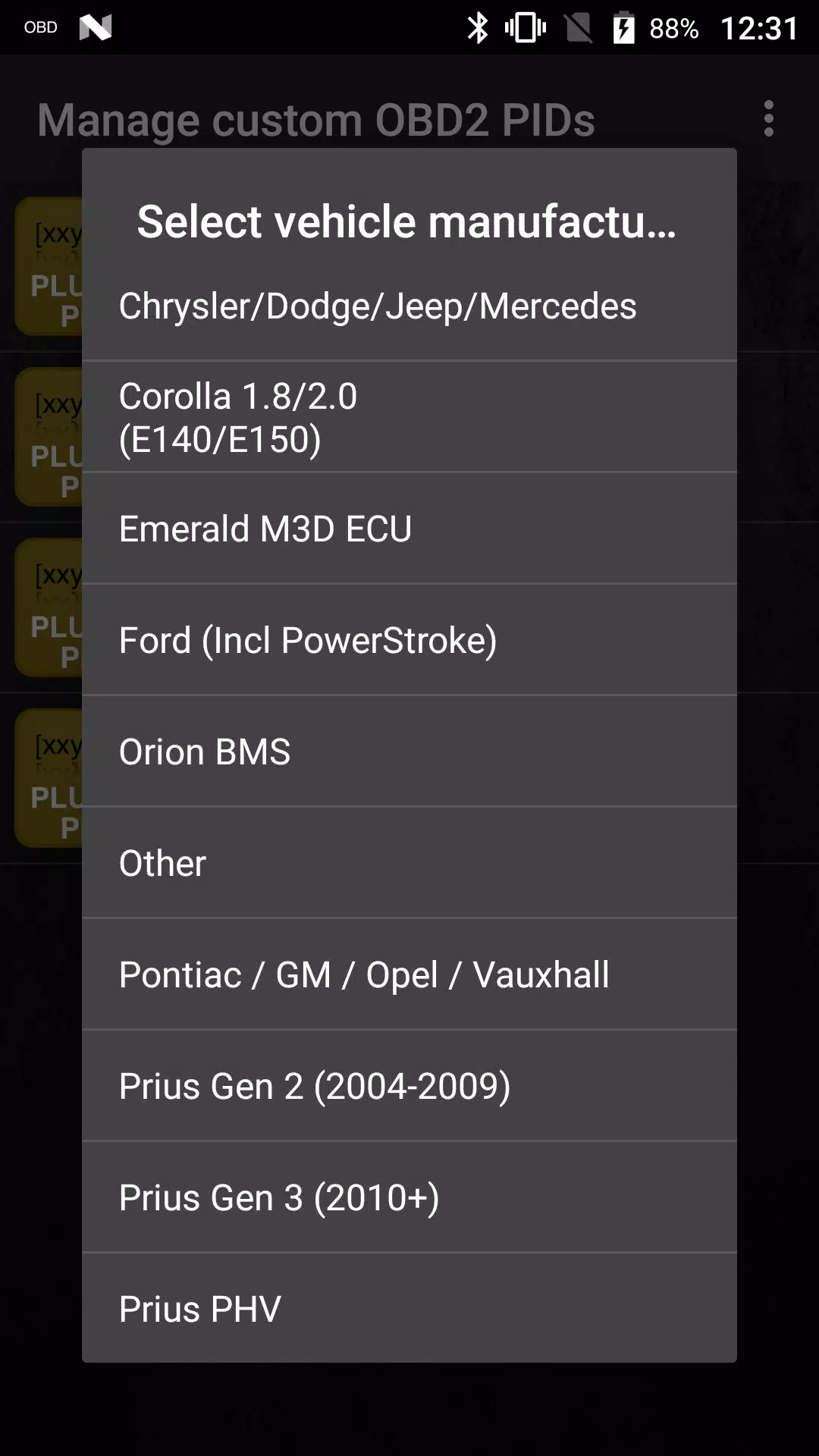
- Choose the correct engine type and return to the Torque Pro main screen.
- Navigate to Torque Pro's "Settings".
- Confirm the plugin is listed under "Settings" > "Plugins" > "Installed Plugins".
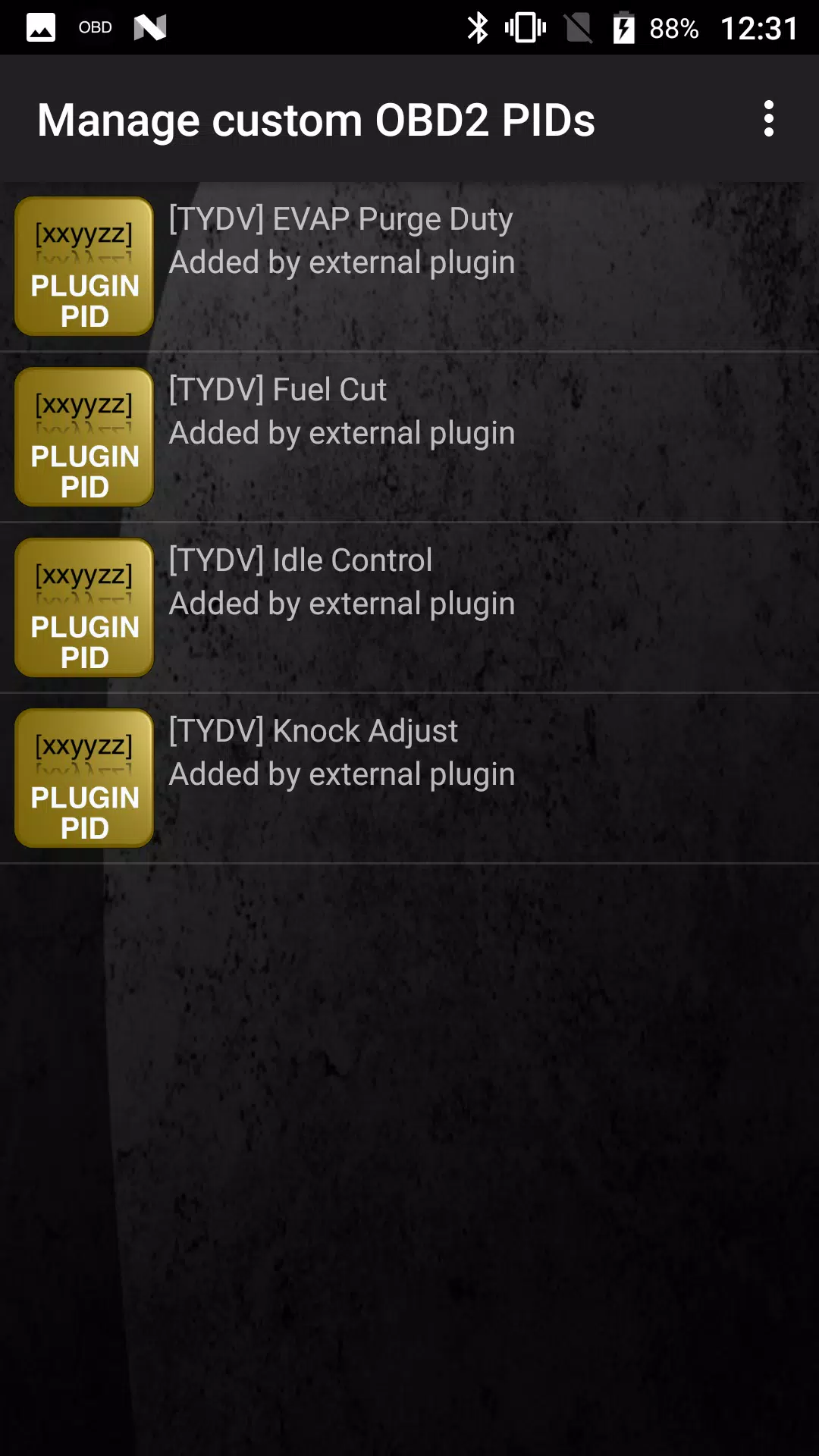
- Scroll to "Manage extra PIDs/Sensors".
- This screen typically shows no entries unless you've previously added PIDs.
- From the menu, select "Add predefined set".
- Ensure you select the correct set for your TOYOTA engine type.
- After selection, you should see new entries added to the Extra PIDs/Sensors list.
Adding Displays:
- Once you've added the new sensors, go to the Realtime Information/Dashboard.
- Press the menu key and select "Add Display".
- Choose your preferred display type (Dial, Bar, Graph, Digital Display, etc.).
- Select the appropriate sensor from the list. Sensors from Advanced LT are prefixed with "[TYDV]" and are typically listed just after the time sensors.
We are committed to enhancing the Advanced LT plugin with more features and parameters in future updates. Your feedback and suggestions are highly valued, so please feel free to share your thoughts with us.












-
 Uno Wonder Mobile Game Launches Next Month
Uno Wonder brings the latest version of the beloved card game to mobile devices.Launching on September 17th, it invites you on a global cruise adventure.Experience classic Uno with exciting new twists and challenging boss battles.Uno is a timeless fa
Dec 20,2025 -
 Wind Waker HD for Switch 2 Being Considered
Nintendo's decision to release the GameCube version of Wind Waker for Switch 2 doesn't rule out a potential Wind Waker HD port. Read on to understand Nintendo's perspective and learn about the HD version's significant improvements over the original.W
Dec 20,2025 - ◇ "First Official Godzilla LEGO Set Unveiled" (43字符) Dec 19,2025
- ◇ Candy Crush All Stars Tournament Returns for Fifth Edition Dec 19,2025
- ◇ inZOI Axes Denuvo DRM Following Apology Dec 18,2025
- ◇ Nintendo's Switch 2 Supply to Meet US Demand Dec 18,2025
- ◇ MindsEye Studio Begins Layoffs After Disastrous Launch Dec 18,2025
- ◇ Outer Worlds 2 Unleashes Bold RPG Character Creation - IGN Dec 18,2025
- ◇ Black Myth: Wukong Pauses Story for Zhong Kui Dec 18,2025
- ◇ Maxroll Launches BitCraft Game Guides Dec 17,2025
- ◇ Basketball Rivals' Release Date Unveiled: Trailer, Trello, Playtest Dec 17,2025
- ◇ Solo Leveling: Arise Marks First Anniversary with Events Dec 17,2025




- 1 Zenless Zone Zero [ZZZ] Codes (December 2024) – 1.4 Livestream Codes Feb 08,2025
- 2 Capcom Spotlight February 2025 and Monster Hunter Wilds Showcase: Everything Announced Mar 05,2025
- 3 New LEGO Sets for March 2025: Bluey, Harry Potter, and More Mar 06,2025
- 4 Gothic 1 Remake Demo: Frame-by-Frame Comparison with Original May 01,2025
- 5 Blazing Conquest: Conquer Lords Mobile on Mac with BlueStacks Air Feb 21,2025
- 6 PUBG Mobile Redeem Codes for January 2025 Live Now Feb 13,2025
- 7 "Tower of God: New World Introduces Alphine and Kaiser" Jun 28,2025
- 8 Pokémon TCG Pocket Unveils Premium Pass and Trade Tokens Apr 21,2025





-
Best Racing Games to Play Now
A total of 10
-
Top Business Management Apps for Android
A total of 10
-
Best Competitive Multiplayer Games on Android
A total of 10











